毎日 通常購入しなくては使用できないソフトウエアを無料で提供します!
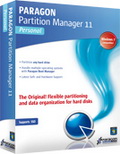
Giveaway of the day — Paragon Partition Manager 11 Special Edition (English Version)
Paragon Partition Manager 11 Special Edition (English Version) < のgiveaway は 2011年9月6日

パティション管理プログラムでハードディスクを完全に管理。
ドライブ許容量増加に伴いスペース管理が大変重要。このツールでハードディスクを再構成してデーター管理を効果的に実施。
新機能:
- 自動パティション構成、コピーでハードディスクを効果的に管理;
- 回復メディア・ビルダー;
- AFD (Advanced Format Drive)サポート;
- 2TB+ と512Bでないセクターサイズのドライブをサポート;
- USB 3.0サポート
利点:
- 基本、アドバンスのパティション機能 作成、削除、回復、サイズ変更、合併
- コピー完全なハードディスクのコピーまたは部分的パティションのコピー、コピー中にサイズの変更も可能
- ブート管理ブート管理を簡単に稼動・非稼動
- 最適化自動パティションコピー、移動で稼動を最適化、ファイル日、サイズ、ディレクトリー・オーダーによるパティション整理
- 基本バックアップ、回復 Windows からそのままイメージバックアップ、システム回復
詳細はPartition Manager 11 Personalのウエブサイトで。
テクニカルサポート:Giveaway期間中はテクニカルサポートをこちらで提供www.giveawayoftheday.com。 寄せられた質問にサポートチームが対応(ダウンロード、レジスター、使用方法など)。
必要なシステム:
Intel Pentium or compatible, 300MHz or higher processor; RAM: At least 128 MB (256 MB or greater recommended); disk space: 250 MB; Internet Explorer 5.0 or higher
出版社:
Paragon Softwareホームページ:
http://www.paragon-software.com/home/pm-personal/ファイルサイズ:
110 MB
価格:
$39.95
他の製品
Don't wait for a disaster to strike - get an instant data and system recovery kit today to ensure your protection! Rescue Kit professionally fixes boot problems as well as retrieves your data when your system fails to boot. It even rescues deleted partitions. All, you need to do to achieve complete control over any situation is burn the software on your CD/DVD! Download Rescue Kit 11 Free Edition on Facebook>>
Total PC Protection for Serious Users! Take complete control of your PC’s safety. Based on solid commercial backup and recovery software from Paragon, the new Backup & Recovery 2011 (Advanced) Free Edition will give you a rich set of features that you can trust.
All-in-one suite to completely protect, maintain and manage your PC! Hard Disk Manager Suite provides you with all of the tools you need to manage today’s hard drives, including partitioning, backup & restore, migration, optimization & defragmentation, hard drive disposal, boot management and system recovery.
コメント Paragon Partition Manager 11 Special Edition (English Version)
Please add a comment explaining the reason behind your vote.
Paragon / free OCR
To avoid wasting your time:
From Paragon Partition Manager Release History:
Date Version Features
10.06.2011 11.0 Major update ... (several new ones)
29.04.2010 11.0 ...
No Version in between.
Conclusion: It's a new improved version and worth the whole procedure. When download is finished, I hope I can tell you whether the serial from march is still valid. Or somebody else is quicker.
((To #8: Some people like me don't learn all features of prior giveaways by heart as Fubar seamingly does. A kind and not arrogant person would have told us the essence of his wisdom! Additional difference PE/full version: the personal edition never comes with Windows PE which isn't free!))
I hope this post won´t get lost as my full yesterday information about free OCR did (IrfanView with ocr_kadmos plugin).
I hate very much working for waste baskets!!!! Even for GOTD's!
Thank you for your kind consideration!

10.06.2011 11.0
Major update with improved program engine is released
What's new in this update:
Automatic partition alignment during partitioning/copy operations to optimize performance of the hard disk
Support of AFD (Advanced Format Drive)
Support of 2TB+ and non-512B sector size drives
USB 3.0 ready
I don't want to remark on the software itself just the strange (lack of) version numbering they seem to do at Paragon. Don't these people understand the information that is contained in such version numbers?
From their own Release History: ( http://www.paragon-software.com/home/pm-personal/release.html )
============================
10.06.2011 11.0 Major update.
Major update with improved program engine is released.
What's new in this update:
* Automatic partition alignment during partitioning/copy operations to optimize performance of the hard disk
* The updated P2P Adjust OS Wizard to successfully start up a Win2K+ physical system on a different hardware platform (P2P) by allowing injection of all required drivers and the other actions crucial for this type of migration (Professional, Server and Virtual Server editions only)
* Support of AFD (Advanced Format Drive)
* Support of 2TB+ and non-512B sector size drives
* USB 3.0 ready
29.04.2010 11.0 Paragon Partition Manager 11.0 is released. We improved the stability and effectiveness of the program engine and add new functionality. Please note new features depend on edition, see Edition Comparison for more details.
New and updated Features:
* Paragon Alignment Tool
* Support for major virtual machines
* P2V Copy
* P2V Restore
* P2V Adjust OS
* P2P Adjust OS
* Connect VD
* Smart Driver Injector
* Selective Restore
* Boot Corrector for WinPE recovery environment
* The latest Linux kernel for Linux-based recovery environment
* WinPE 3.0 recovery environment
* More flexibility for online data processing techniques
* Better support for 64-bit platforms
* Better support for GUID Partition Table (GPT)
* Better support for Apple Boot Camp
* Better support for Linux ExtFS
============================
So the latest release is from before the last Giveaway and therefore it would seem today's version should be the same. The installer is slightly bugger than any of the two versions from the previous giveaway and there were two separate versions for 32 and 64 bits Windows then. Not today so maybe they have managed to combine both 32 and 64 bits version in a single installer.
But first of all why on Earth don't they change the version number from the 29.04.2010 version 11.0 in the 10.06.2011 "Major update" to something like 11.1 or even 11.5 if it's such a major update? And even if today's version(s?) is/are identical to the previous giveaway except for the combined installer (if that is indeed the case) then just say so. And perhaps change the version number from 11.1 (which it should have been) to something like 11.1.0.1 to indicate a very minor change (the installer). I would expect such adequate version numbering would be helpful for the support people too so they'll know exactly which version the customer is using.
I mean... what's the trouble? None as far as I can see. And what's the downside? Again none as far as I can see. Am I missing something here or is Paragon?
Is there any difference to Paragon Partition Manager 11en Personal Special Edition from 2011-03-23 Giveaway? Thanks in advance.
Fubar:
The Paragon website never gives info on Special editions. Your suggested links do not distinguish between
11 Personal Edition vs. 11 Personal Special Edition
which is what posters have been requesting. Please see my post #15 (if it passes moderation).
iPhone 本日のオファー »





Android 本日のオファー »





何度実行しても、アクティベートサーバからの応答なし
Save | Cancel
no comment
Save | Cancel