日本語
毎日 通常購入しなくては使用できないソフトウエアを無料で提供します!
$65.95
期限切れ
Giveaway of the day — Aidfile Format Drive Recovery 3.67
Aidfile format recovery will help to recover files from formatted devices.
$65.95
期限切れ
ユーザーの評価:
106
コメントを残す
Aidfile Format Drive Recovery 3.67< のgiveaway は 2015年7月25日
本日の Giveaway of the Day

モバイルデバイス間のデータを管理します。
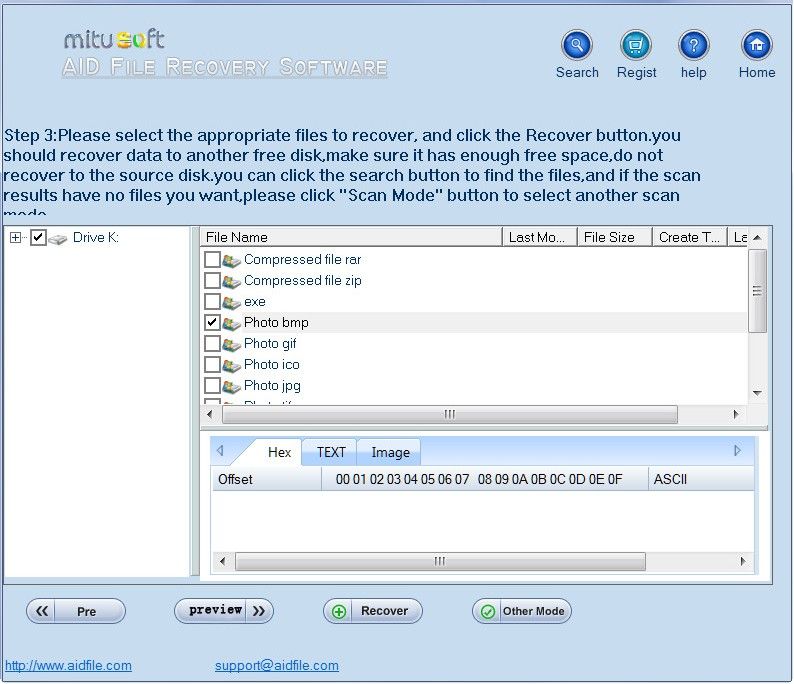
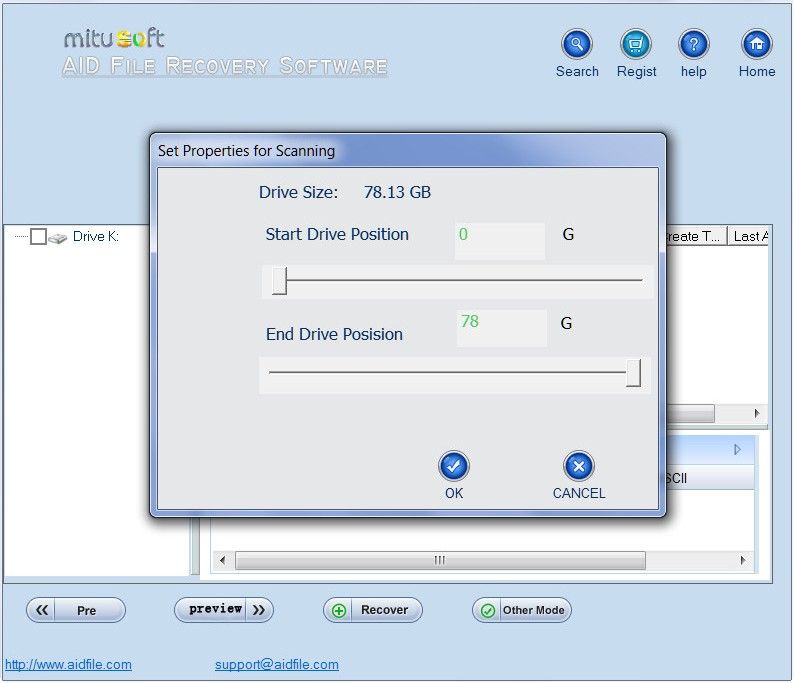
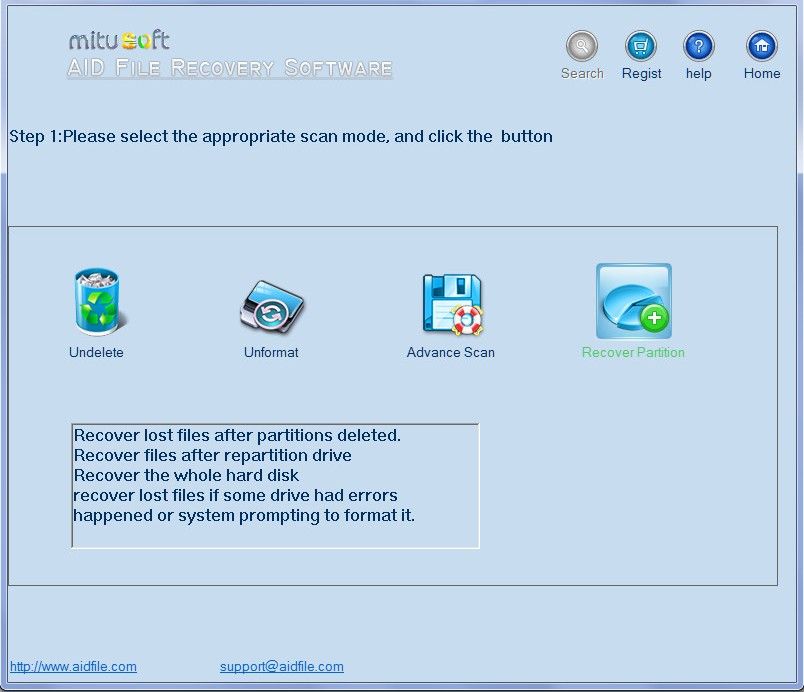
Aidfile Format Drive Recovery はファイル、写真、文書をフォーマットされたフラッシュドライブや外部ハードドライブ、ペンドライブ、USBから回復するツールで、写真、ビデオ、Word文書、Excelなどをフォーマットされたフラッシュドライブや外部ハードドライブ、ペンドライブ、メモリーバー、SDカード、USB,CFカードなどから回復。
機能:
- フォーマットの作業ミス、Windowsの再インストールなどの後でもデーターを回復
- リサイクルビンから削除したものを回復
- 作成したMS Word,Excel、写真、イメージ、ビデオ、音楽、Eメールを回復
- ハードドライブ、USB,メモリーバー、カメラカード。フロッピーディスクからデーターを回復
- FAT32, NTFS, ExFAT ファイルシステムをサポート
必要なシステム:
Windows XP/ Vista/ 7/ 8/ 8.1 or later
出版社:
Aidfileホームページ:
http://formatdriverecovery.com/ファイルサイズ:
12 MB
価格:
$65.95
iPhone 本日のオファー »

Miles is the simplest but most effective way to track your running progress week by week.
$4.99 ➞ 本日 無料提供

$2.99 ➞ 本日 無料提供

$1.99 ➞ 本日 無料提供

$1.99 ➞ 本日 無料提供

GoTV allows watching live TV channels on your iPhone or iPad. Add a link to a M3...
$1.99 ➞ 本日 無料提供
Android 本日のオファー »

Fruit Frenzy Tiles is the ultimate match-3 puzzle adventure for fruit lovers and casual gamers!
$3.49 ➞ 本日 無料提供

It simple image cropper app that only have features related to cropping images of any types.
$0.99 ➞ 本日 無料提供

$2.49 ➞ 本日 無料提供

$2.49 ➞ 本日 無料提供
This is a calculator game and it contains tons of exciting, brain teasing math puzzles.
$2.49 ➞ 本日 無料提供
コメント Aidfile Format Drive Recovery 3.67
Please add a comment explaining the reason behind your vote.
Installed and registered without problems on a Win 8.1.3 Pro 64 bit system. A clean install.
A company without name and address, software comes from Mitusoft Ltd.
We had a previous Aidfile Format Drive Recovery 3.66 on September 8, 2014. Here are the old reviews:
http://www.giveawayoftheday.com/aidfile-format-drive-recovery-3-66/
Upon start a blue resizable interface opens, it searches for attached drives. You select a drive and check it. Quite simple.
I took an older SD card with backups for my handy and formatted it with "quick format". Unfortunately I forgot to take a greenshot of the directory to show the before/after. So you have to believe me. Sorry!
But I have made a screenshot with the first run on the NOT formatted SD card, so you can see, how many files have been on this SD card:
http://i.imgur.com/P66U2rw.png
This time the scan takes much more time:
http://i.imgur.com/3tIFbck.png
With the first scan (without checking free space) it could not find a single file...
http://i.imgur.com/h3VZl5i.png
Now I checked the check box to search the free space, too:
It takes longer with this 4 GB SD card and has already found some files:
http://i.imgur.com/oQtHjeA.png
it works and works...
http://i.imgur.com/baeKhSF.png
result: could only find a small number of the existing files. Did not produce the expected result even in a very simple case of a fresh formatted card.
http://i.imgur.com/b7YKFuE.png
And here you find a correct statement on their web page:
"The most important tips:Even the most powerful software cannot solve all the problems, regardless of the evaluation of others and regardless of our own.
Sometimes, "unformat" can help you recover formatted drives. Sometimes, "undelete" can help you recover formatted drives. Also, "Full scan" or "Recover partition" can sometimes recover formatted drives."
Read this BEFORE you buy such a program:
http://i.imgur.com/S1gCsTJ.png
How do you get your money back, if you have no address and no responsible person?
Uninstalled via reboot, useless.
Have a nice weekend!
Save | Cancel
I have to be fair, so an addition:
"unformat" does a better job than "undelete" in my previous comment.
But also unformat could not "unformat" the SD card and recover all previous files:
http://i.imgur.com/yc3657D.png
You should try both "unformat" and "undelete" to get as much back as possible.
Save | Cancel
My best strategy: I copy all fotos etc. per computer to two other external USB media (HDDs) and then erase all files on SD card. Thus new fotos are not defragmented which is best for any sort of recovery.
Repeating again and again free PC Inspector File Recovery, PC Inspector Smart Recovery, Recuva and Linux based TestDisk&PhotoRecovery but now available for Windows too:
http://www.pcinspector.de/Default.htm?language=1 original homepage for Smart Recovery, too
https://www.piriform.com/recuva/download original homepage
http://www.cgsecurity.org/ original homepage
(http://forum.cgsecurity.org/phpBB3/testdisk-photorec-forum-in-english-f2.html)
https://www.linux.com/learn/tutorials/809671-get-your-data-back-with-linux-based-data-recovery-tools
with SystemRescueCD, a bootable Linux Live CD with graphical interface. Cited:
"This particular rescue CD supports most of the known partition formats and includes all the tools you need to recover data (including sfdisk, Gparted, TestDisk, PhotoRec, FSArchiver, and much more).
By the way Gparted is a free partitioner.
In worst case (which happened only years ago) I would use every recovery program available to me, one after the other and thus perhaps get more recovereed files than by using only one software.
Please keep in mind for recovery: if you install any software on your Windows partition afterwards perhaps just those files you want to recover will be overwritten by install or any other Windows' activities. Therefore you never should keep any valuable data on windows partition.
Personally I prefer portable software especially for these aims and best is a Linux live CD for first try (see above), destroying nothing!
Trusting Karl's results (many thanx!) but not so much any company without name and address I don't think that I will add Aidfile Format Drive Recovery 3.67 to my collection.
Save | Cancel
Hey there - Dual Boot here - Installed today's offering on an 8.1.3 partition & A Win 10 (build 10240) partition & both found the same number of files (12 to be exact) on a small thumb-drive I formatted on purpose. Seems to do the trick - but is a little pricey for my money - REMEMBER - like real estate - BACKUP BACKUP BACKUP & NEVER be sorry. A few seconds at the time & a lifetime of enjoyment! HAGD & Thank you to GOTD & Aidfile for today's offering. C U Soon! B|
Save | Cancel
I was trying to install XP on an old laptop on a docking station which has a 4TB external HDD connected. What I didn't know was that the HDD inside the laptop was defective. In my hurry and not paying much attention I deleted the partition on the fully loaded 4TB drive (I forgot about the 4TB drive on the docking station and it was still active). In my panic, I tried AOMEI Partition Assistance Pro, it flagged an error "sector has more than 512 Bytes". Then I tried EaseUS Partition Master 10.0 (Thank you GOTD), To my great relief, in 1/2 hour, it was able to recover the partition with the original folder structures and all the files as if nothing has happened.
That was real fast to recover 3.6TB of data.
Save | Cancel