毎日 通常購入しなくては使用できないソフトウエアを無料で提供します!
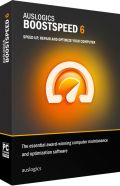
Giveaway of the day — BoostSpeed 6.5.6
BoostSpeed 6.5.6< のgiveaway は 2014年7月23日
BoostSpeedはPCを簡単に修正、整理そしてスピードアップ。 CNETによる5星評価のあるこのツールはPCの管理に最適。
BoostSpeed はPCをスローダウンの原因となる問題をピンポイントでスキャンし問題解決、PCを効果的に使用できるようにするパワフルなツールを提供。ボタンをクリックするだけでジャンクを整理、レジストリー修正、Windowsとインターネット設定を調整、ハードドライブを整理などPC を迅速、スムーズに利用できるよう管理。
お知らせ:このプログラムのライセンスは1年間有効
必要なシステム:
Windows XP, Vista, 7, 8; 300 MHz Processor; 256 MB RAM; 50 MB HDD
出版社:
Auslogicsホームページ:
http://www.auslogics.com/en/software/boost-speed/ファイルサイズ:
27.8 MB
価格:
$49.95
他の製品
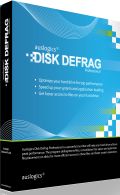
PCをこのプログラムのスマートな暗号化とブートタイム整理テクノロジーでトップスピードと効果的に稼動するハードドライブで管理。 Disk Defrag Proはシステム稼動間にアクセスできないファイルを整理、またハードドライブのファイルを最適化して迅速な稼動を実現。複数のスケジュール・オプションで高度HDDを簡単に管理。
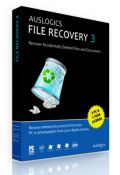
ウイルスなどの攻撃で失ったファイルを回復。File Recovery は間違えてファイルを削除してしまった際にそのファイルを回復。またウイルスなどで破壊されたものも処理。すべてのファイル回復が可能でハードドライブ、USBなどにも対応。
コメント BoostSpeed 6.5.6
Please add a comment explaining the reason behind your vote.
Installed and registered without problems on a Win 8.1 Pro 64 bit system.
AUSlogics is an AUStralian company with address:
It is a fast-growing privately owned company located in Sydney, Australia. Our team is composed of bright, driven and passionate people working hard to provide you with the best computer maintenance tools.
I use some Auslogic tools since long time. This one I have never used.
the program will clean up, speed up and repair your system to make it run as fast and stable as new.
Upon start a small not resizable window opens with a modern interface. The program asks for update and updates without problems and tells me, that there will be the next update tomorrow. So fast changing basics???
Down on the right side, the program says, that the subscription expires in 352 days. Not really ONE year.
The programs starts to scan the computer and : RED!RED!RED! alert.
It finds, that some 80 Mbyte of disk space can be freed (log and temporary files), that 137 issues give a "severe" impact on the computer speed, and that 74 issues are impacting the system stability.
I took a look at the severe issues.
- impact of computer speed...
from the 137 issues 115 are registry issues and these 115 are all file extensions. (explorer opens with...) hmmm...
18 are internet speed issues for the Iexplorer, which I do not use as browser and the Firefox - Keep alive Timeout or request buffer size. Okay this can be discussed.
- impact of system stability ...
8 are invalid help file related entries, 18 are missing uninstaller and the remaing 48 "system errors" are firewall related rules, which are handled by my firewall in a IMHO perfect way.
No, non of these "severe impact issues" have any influence on the system stability.
Then there is a memory & CPU optimization, which I do not need with about 5% CPU usage and 20% of memory usage - including my RAMdisk.
The Statistics shows that is has saved 6 seconds. 3 seconds by CPU optimization and 3 seconds my memory optimization - and it tells me in the same window : more barbecue with my friends per year and more hour of intense gaming per year !!! it should be funny, but it isn't. DEAR AUSLOGICS; PLEASE CANCEL SUCH NONSENSE, IT SPOILS YOUR SOFTWARE!
Well, if you believe in boosting computer speed, without changing processor, main board, memory and disks, then you can take this. I would be happy to learn, in which way I have improved my speed (6 seconds for more barbecue time).
One of the many "we make your computer faster than ever and behave like brand new". Some call it snake oil - and a lot of serious people swear that snake oil helps. Really!
I belong to the others. Uninstalled via reboot.

I used to be mad for utility packages. Whenever I saw something new I had to try it. Over time I found this was not doing me or my computer any good. I have an old XP2 system but I still want to keep it running right. I shy away from these one click solutions as most have no effect on my system at best to making program stop working or worse, my system not to boot up. Thank goodness I keep an updated image of my hard drive handy.
Here is Download.com's review and some user comments. You may find them interesting...
http://download.cnet.com/Auslogics-BoostSpeed/3000-2094_4-10358299.html
What I don't find interesting is this....
Please note: the program license is valid for one year
I can understand an antivirus program or an anti malware program that need daily updates charging a yearly fee. But why for a program like this? Why the need for a yearly license?
As alway, thank you GOTD team for all of your efforts.
At the end of the 12 month license period, what happens to the program? Does it stop working completely or does it become the crippled freeware version?
And thanks to GOTD for telling us that this is a 12 month subscription. Auslogics themselves don't mention this rather important fact on their product page. You only find out when you go to place an order. Then if you decide you don't want BoostSpeed and close the page you get a pop-up asking if you really want to close it, and offering you a 30% discount. Sorry Auslogics, but this all seems a bit underhanded to me.
Usually I don't use SHAREWARE products to speedup my PC, but this GAOTD comes from Auslogics and, in my view, it's absolutely one of the best PC Tune Up utilities on the market right now.
So my advice is to forget moaners here and download and install it before this offer is over, even though there are tons of alternative tools out there which can do the same job for FREE, namely improve the overall performance of your PC in about every area of it!
As best FREE ALTERNATIVES I suggest the following ones:
http://www.toolwiz.com/products/toolwiz-care (==> My Personal First Choice)
http://www.bluesprig.com/jetclean.html
http://www.slimcleaner.com
http://www.puransoftware.com/Puran-Utilities.html
http://www.softpedia.com/get/PORTABLE-SOFTWARE/System/System-Enhancements/Portable-Wise-Care-365.shtml
http://www.koshyjohn.com/software/diskmax
To defragment the HD, try this FREE and PORTABLE GEM:
http://ultradefrag.sourceforge.net/en/index.html
And to clean and defragment the REGISTRY of your Windows machine like a PRO:
http://www.registryrecycler.com/features.html
Enjoy!! ^_^
I still have GOTD's "Auslogics Boost Speed 5.5" on my Win XP SP3 machine.
I use it rarely. After license is expired, you get a pop-up asking you
if you want to "update" or "close".
When you select "Close", the program start screen pops up and you can
use the software as before. No need to "update" for money.
I have no idea if this version here behaves in the very same way.
Mostly I use this software for the "System Tweaks" every few months
when Windows settings have changed for no apparent reason again.
But $49.95 for this software??
And, folks, as with all GOTD software, do not forget to change the
name of the icon/program to GOTDboostspeed during install - so that
you are reminded to NOT update!
Thanks GOTD and Auslogics for this freebee.
nimsaoui
iPhone 本日のオファー »





Android 本日のオファー »





結構、良かったソフトです
メニューは英語表記だけどレジストリクリーナーとかデフラグとかハードディスクの簡単調整とかボタンを選べてできますから・・・よか、よか。
Save | Cancel