毎日 通常購入しなくては使用できないソフトウエアを無料で提供します!

Giveaway of the day — HD Video Converter Factory Pro 6.3
HD Video Converter Factory Pro 6.3< のgiveaway は 2013年12月1日

HD Video Converter Factory Pro はHDビデオ変換を実施、ビデオをSDからHDへ、またその反対の変換も実施。 100+ 以上のビルトインフォーマットを提供しSD, HD間の変換を実行。
すべてのHDとHD-カムコーダーの両方をポータブルとコンソールプレーヤー用へ変換。 iPad, iPod, iPhone, Apple TV, PS3, PSP, Xbox, Zune, PDA, BlackBerry, Nokia, Android, Zenなどをサポート。また HD Video Converter Factory Proは複数のCPUとハイパーをサポートし50倍以上の変換スピードを提供。
機能:
- HDとSD間の変換実施;
- Online Video Downloader – YouTube, Facebook, vimeo, liveleak, metacafeなどからビデオをダウンロード;
- ユニークなコード技術で 30X-50X の迅速んは変換を実施、大量処理も可能;
- Video Editor – 切り取り、短縮、特殊効果追加;
- ビデオ合併;
- ビデオからオーディオ抽出、スクリーンショット撮影
必要なシステム:
Windows NT4/ 2000/ 2003/ XP/ Vista/ 7/ 8; Processor: 1 GHz Intel or AMD CPU; Free Hard Disk Space: 50 MB or more; RAM: 512 MB or above
出版社:
WonderFox Soft Incホームページ:
http://www.videoconverterfactory.com/hd-video-converter/ファイルサイズ:
25.5 MB
価格:
$49.95
他の製品
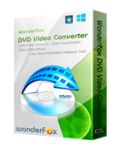
To avoid any unconcious damage of your new DVDs, you might need a DVD Backup program. WonderFox DVD Video Converter is the program which can help you backup DVD disc content into your hard disk drive without quality loss. In addition, this program is also a online Video downloader which allows you to fast download video from YouTube, Facebook, Liveleak, Vimeo, Metacafe, etc.
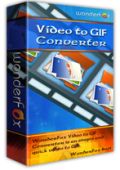
WonderFox Video to GIF Converter is a simple and quick video to GIF conversion program on Windows which is capable of converting all popular formats of video to animated GIF. Creating your own animated GIF from a video can be a lot of fun. WonderFox Video to GIF Converter offers variety of special effects will bring more fun on the video to GIF conversion process.

WonderFox Video Watermark focuses on protecting your video copyright. To protect your video from unauthorized using, you may need this kind of program to add identity and ownership information on your video files. WonderFox Video Watermark can help you easily add text, image, logo, signature (include animated) and other watermark on your video.
GIVEAWAY download basket




コメント HD Video Converter Factory Pro 6.3
Please add a comment explaining the reason behind your vote.
Pros
*Supports many input/output formats and SD/HD videos
*Does batch processing
*Allows for basic edits before conversion
*Can download online videos
Cons
*No offline help
*When batch processing, all input files must be converted to the same output format with the same output settings -- you can't customize each input file individually
Free Alternatives
Review of best free video converters for Windows
EagleGet (video downloader)
Final Verdict
Click here for final verdict and full review

Video converters generally appear to be clones of other video converters particularly when it comes to selection of output type.
You are faced with an endless list of devices you have to hunt through to find what you want.
Instead WonderFox have thought of the user's point of view in this area and made as simple and most usable interface for the selection.
In a quick test this morning I found the speed of conversion very good producing an equally good output.
For testing the download function I tried a YouTube video link, it took a couple clicks on the Analyse button to get sorted and then it downloaded without problems.
I like this company's products for there ease-of-use, well-designed interface and speed of conversion,
I will be keeping today's download.
Simple instructions for you to 100% successfully use WonderFox HD Video Converter Factory Pro.
Step 1. Download Zip package from GOTD.
Step 2. Unzip the Package and run setup.exe to install the software.
Step 3. Use the registration code to register.
Step 4. After successful register the product, visist the link below to consult the details of the product user guides.
http://www.videoconverterfactory.com/hd-video-converter/guide.html
What’s New On V6.3:
1. Newly add “Drag” feature that you can drag your videos into the program effortlessly
2. Identify the files like word, excel when drag files into the program
3. Add a dynamic image on the left side when convert video or rip DVD
If there happen any problems during using WonderFox HD Video Converter Factory Pro, please feel free to contact support@videoconverterfactory.com. Your feedbacks are very helpful for us to improve the product.
Below are advantages and disadvantages for HD Video Converter Factory Pro.
Advantages of HD Video Converter:
1). Very interactive look. Fast startup. Also takes very low CPU memory.
2). Rate of conversion of the video is very fast.
3). You can also clip, crop and add effects in the video file.
4). Almost all possible video formats available for conversion.
5). You can download all videos from internet in the format you wish.
Merging two or more files also works good with HD Video Converter Factory.
Disadvantages of HD Video Converter:
1). The Window size is fixed, which is a problem to see details written on a video file.
2). No preview option available to view the effects on the converted file.
Read How-To Use and Full Review of HD Video Converter here: http://securitygeekpro.com/hd-video-converter-factory-pro/
#12 Dean Reed
No not a promoter nor author but at 71 I do have trouble with the list of selections most video converters display.
Sadly my eyes are not what they used to be and the interface of this program makes it so much easier to select the output type.
I have been programming since the late 1970s and enjoy seeing a well produced piece of software, this fits the bill, hence my write-up.
iPhone 本日のオファー »





Android 本日のオファー »





Below are advantages and disadvantages for HD Video Converter Factory Pro.
Advantages of HD Video Converter:
1). Very interactive look. Fast startup. Also takes very low CPU memory.
2). Rate of conversion of the video is very fast.
3). You can also clip, crop and add effects in the video file.
4). Almost all possible video formats available for conversion.
5). You can download all videos from internet in the format you wish.
Merging two or more files also works good with HD Video Converter Factory.
Disadvantages of HD Video Converter:
1). The Window size is fixed, which is a problem to see details written on a video file.
2). No preview option available to view the effects on the converted file.
Read How-To Use and Full Review of HD Video Converter here: http://securitygeekpro.com/hd-video-converter-factory-pro/
Save | Cancel