毎日 通常購入しなくては使用できないソフトウエアを無料で提供します!
Giveaway of the day — InPaint 3.1 (for Windows and Mac)
InPaint 3.1 (for Windows and Mac)< のgiveaway は 2012年1月7日

Inpaintは写真から不必要なものを削除、イメージを再編集。不必要なライン、テキストなど選択したものを自動的に削除。 自動処理化可能。
使用方法が簡単で選択したエリアの周りを囲み削除処理を稼動するだけ。周りのエリアの近いテキスチャーでその部分を修正。
Mac OSユーザーは このリンクへ (file size: 6.01 MB ).
必要なシステム:
Windows 2000 and higher
出版社:
TeoreXホームページ:
http://www.theinpaint.com/ファイルサイズ:
3.78 MB
価格:
$19.99
他の製品

iResizer scale an image without changing important visual content such as people, buildings, animals, etc. iResizer lets you shrinking or enlarging images to improve a composition, fit a layout, or change the orientation.

FolderIco allows to customize the icon of every Windows folder in one click! Don't you know how to change standard yellow folder to a colourful and bright? With FolderIco, give some color to Windows folders. With just a one click, colorize your folders, and discover a new intuitive way to classify your files. A quick look is now enough to identify the folder you are looking for!

WebInPaint is a web application that allows user to remove objects from photos online.However, if you can’t afford the likes of Photoshop or Snagit, then Webinpaint is something you should try. It can help you quickly remove things that are undesirable in an image.
RadioZilla allows you to listen and download radio station content in one click for free!
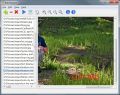
BatchInpaint is a batch version of a popular software Inpaint. Now you can remove watermarks, date stamps and other unwanted objects in a batch mode.
GIVEAWAY download basket


iPhone 本日のオファー »





Android 本日のオファー »





コメント InPaint 3.1 (for Windows and Mac)
Please add a comment explaining the reason behind your vote.
Not bad. Very easy to install and activate. My first attempt at in-painting a photo completely failed as the program terminated, which I believe was caused by trying to inpaint too large an object. My second attempt left me with a rather miserable result after taking a minute to process. It failed to remove a small bird back grounded by a plain wall and instead left me with a blotchy smudge.
The selection process is long and tedious and definitely requires a Paint.net lasso style selection, rather than having to paint over an entire object. The interface is simple and it is quick to learn how to use the program.
My recommendation: This program is best suited for photography beginners who want simple editing and don't demand excellent results. For those who want to see for themselves, here are my before and after pictures:
Before: http://i1089.photobucket.com/albums/i342/Tedepmen/GOTD/CopyofDSC01907.jpg
After: http://i1089.photobucket.com/albums/i342/Tedepmen/GOTD/inpainted.jpg
Save | Cancel
I have used InPaint since release 2-something and presently use release 3.0 (thank you, GAOTD!). I am always amazed at how good a job it does quickly removing unwanted things from pictures ... and it's so easy to use. Oh, sure, Photoshop does a lot more, but the Photoshop learning curve and price are awfully steep. If all you need a tool to do is to virtually seamlessly remove things from pictures this may be just the ticket for you. It's one picture editing tool I wouldn't be without. Thanks, GAOTD, for the opportunity to upgrade ... again!
Save | Cancel
What is the point of sharing ideas on how to improve version 3.1 when they are already on version 4.0? If 4.0 is $19.99 then 3.1 should not have the same value. I understand that it is free because they have a newer version but since it;s possible that issues have been addressed in the current version, this seems to be somewhat useless in terms of feedback.
Now I have a greater appreciation for all the vendors who give us the current version of their software. Thank you.
Save | Cancel
I am using version 3.0 which does an excellent job repairing photos. I removed scratches and marks from some photos and they look very good.
I can not find the difference between 3.0 and 3.1.
The only thing I like to see added to this program is a viewer so you don't have to open photos one at a time. Other than that it is a keeper.
Save | Cancel
This is not the latest version.
Save | Cancel