毎日 通常購入しなくては使用できないソフトウエアを無料で提供します!
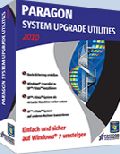
Giveaway of the day — System Upgrade Utilities 2010 (English Version)
System Upgrade Utilities 2010 (English Version)< のgiveaway は 2010年4月21日

Windows 7を最適に活用!
Windows XP/VistaからWindows 7へ効果的に変更、現在のWindowsシステムをどのくらいの期間保管したいかを設定し好きなファイル、アプリケーションをWindows 7へ移動。
System Upgrade UtilitiesはWindows 7への移動を簡単に管理、Windows 7へ直接変更するのではなくWindows XP/Vista 構成をそのまま保持して Windows 7を同時に使用することを可能。Windows 7 対応をテストした後移動するかしないかを判断。
<2>機能:
- 2重ブートシステム作成: Windows 7インストレーション後、Windows XP/Vista またはWindows 7の好きなほうを利用可能。
- Paragonブート管理: Windows XP/VistaまたはWindows 7ブートを選択したするとParagonブート管理機能がインストールされた稼動システムを表示
- P2V連結、回復: パティション、バックアップファイルをバーチュアル環境で利用可能。Windows 7とWindows XP/Vistaを同時に使用可能。
- P2P 調節: OS開始を以前と同じように稼動
- バックアップ、回復: パティション管理、バーチュアル管理機能でシステムを完全にバックアップ。 “Initial Backup”ウイザードでバックアップのイメージを簡単に作成
製品詳細はSystem Upgrade Utilities 2010 のウエブサイトへ。
テクニカルサポート:
Giveaway期間中はテクニカルサポートを提供。http://twitter.com/paragonsoftware質問はこちらまでお問い合わせください。担当者が対応します。
必要なシステム:
Windows 7 (x32 and x64), XP (x32 and x64), Vista (x32 and x64); CPU: 300 MHz or higher; RAM: 256 MB; Disk space: 390 Mb; Internet Explorer 5.0 or higher
出版社:
Paragon Softwareホームページ:
http://www.paragon-software.com/home/suu/ファイルサイズ:
124 MB
価格:
$29.95
他の製品
Simply the most powerful FREE backup solution! Take complete control of your PC’s safety. Based on solid commercial backup and recovery software from Paragon, the new Backup & Recovery 10 Free Edition will give you a rich set of features that you can trust. Smart people backup; Backup & Recovery is smart backup
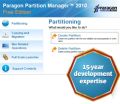
Partitioning is not a child’s play – it needs stability and high-level technology, we develop the disk management solutions for over 15 years and offer the most stabile partitioning tool ever! With Express Edition you can easily organize your hard drive and redistribute your free space.
Don't wait for a disaster to strike – get an instant data and system recovery kit today to ensure your protection! Rescue Kit professionally fixes boot problems as well as retrieves your data when your system fails to boot. It even rescues deleted partitions. All, you need to do to achieve complete control over any situation is burn the software on your CD/DVD!
iPhone 本日のオファー »





Android 本日のオファー »





コメント System Upgrade Utilities 2010 (English Version)
Please add a comment explaining the reason behind your vote.
I think some people aren't reading what this program does ... it is not to let you run 2 operating exactly at the same time so that you can jump back and forth without rebooting ... it is either one or the other. I believe its purpose is so you don't have to decide to leave one behind in order to move ahead to Win 7 but you'll always have to reboot to jump into the other system. I suppose it is possible to copy data between the 2 but it is basically another partition and you're booting into another partition and using it's OS. The only way I know of to have 2 running at the same time is to set up a virtual computer and install a different OS on it but that does take its toll on the resources and you'll have to manage those and the hard disk space by allocating some to the host and client. I could be wrong if I'm misreading or misinterpreting.
Save | Cancel
Virtual box and VMware server will run Operating systems on your host system virtually also. They are both free.
Running mutliple Operating systems and application software can create a large load on your resources in your PC. (FYI)
I partitioned my drive and installed Windows 7 on one partition and XP on the other for a dual boot. I only run one at a time. This is for speed and efficiency depending on the task I am performing.
I also run VMware. I use this for school and run 2 or 3 operating systems virtually and my physical host operating system.
I have not used this software but if you have a need to run more than one operating system at a time the software looks good. Be careful of trying to run more on your PC than your PC resources can handle.
TO
Save | Cancel
I actually believe (I live in Argentina) that this kind of soft is good enough not only to have an interesting prospect to our humble hardware but to let us know what we are meant to do with the machines we are entitled to use. Please I beg your pardon because I think my English is not so good for comunicating the real situation but I'm doing my best to keep on working with the humblest resources we have here. Therefore thumbs up for this helping hand! Thanks a lot for all of you and specially for GAOTD!
Save | Cancel
Here's a review of the Paragon System Upgrade Utilities 2010 from PCWorld.
http://www.pcworld.com/downloads/file/fid,81909/description.html
Save | Cancel
Actually just did a manual upgrade from XP Media Centre to Windows 7 Ultimate 2 days ago, and it was painless and easy, without any problems at all. 3 days ago I would have probably downloaded and utilised, but having upgraded flawlessly, I'm glad I'm not stuck in the middle with a foot in both operating systems.
Save | Cancel