毎日 通常購入しなくては使用できないソフトウエアを無料で提供します!
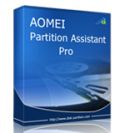
Giveaway of the day — AOMEI Partition Assistant Professional Edition 5.5
AOMEI Partition Assistant Professional Edition 5.5< のgiveaway は 2014年7月17日
AOMEI Partition Assistant Pro はシンプルで信頼の高いWindows PCとノートブック用のパティション、ディスク管理ツールで、ディスクスペースを最大化してパフォーマンスを改善。
機能:
- パティションのサイズ変更: 拡大、縮小、分離を来ないフリースペースをアサイン
- 簡単なウイザード: さらに判りやすいウイザードで拡大、コピー、回復を提供
- システム移行: OSから古い HDD を新しいSSD や HDDへ移行、 MBR と GPT ディスクサポート
- 安全な変換: MBR をGPTへ、ダイナミックディスクをベーシックへ、 NTFS から FAT32へ、プライマリーからロジカルへの移行
- Windowsポータブル版作成: Windows 8のポータブル版を USBで持ち運び
- ブートできるディスク作成: Windows PE bootable CD/DVD や USBドライブを Windows AIKなしで作成
- 詳細はこちらで
特別オファー:
giveaway バージョンは無料のライフタイム・アップグレードは含まれていません。 GOTD ユーザーは "AOMEI Partition Assistant Pro + Free Lifetime Upgrade" (通常価格 $49.00, を $13.90で提供)を提供します。 この限定期間のみの 72%割引はこちらで
テクニカルサポート:
AOMEI Technology は無料でメールによるテクニカルサポートを giveaway期間後も提供。Eメールで support@aomeitech.com までダウンロード、レジストレーションに関する質問をお寄せください。
必要なシステム:
Windows 8.1, 8, 7, Vista, XP (x32/x64); CPU: Intel Pentium or compatible, 500MHz or faster processor; RAM: 256MB or greater; CD-RW/DVD-RW drive for bootable media creation
出版社:
Aomei Technologyホームページ:
http://www.disk-partition.com/partition-manager-pro-edition.htmlファイルサイズ:
17.4 MB
価格:
$49.00
他の製品
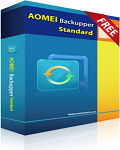
A complete, simple, and reliable Windows backup software.
- System, hard disk, partition, files and folders backup & restore.
- Support full, incremental, differential, and automatic backups.
- Disk and partition clone for upgrading HDD or transferring data.
- Mount, compress, split, encrypt, and check backup images.
- Email notifications, view logs, and export/import backup tasks.
- More...

Manage all your cloud storage services in one place.
- Transfer files from one cloud drive to another.
- Combine the free storage of multiple cloud drives and use together.
- Share files with others, search files among cloud drives, preview files online.
- Support Dropbox, Google Drive, Box.net, OneDrive, SugarSync, etc.
- More...
GIVEAWAY download basket




iPhone 本日のオファー »




Android 本日のオファー »



コメント AOMEI Partition Assistant Professional Edition 5.5
Please add a comment explaining the reason behind your vote.
Installed and registered without problems on a WIn 8.1 Pro 64 bit system.
The installation procedure deinstalls the former version.
Attention : this is NOT version 5.5 from the former GiveAway from January 28th, but version 5.5.1!
Today : version 5.5.1 May 6th
Former version : 5.5.0 November 30th 2013
Changed file signature of DyndiskConverter.exe and Ntfs2Fat32.exe, so it makes sense to update, even if it seems to be the same version 5.5
The old reviews are in my case still valid :
http://www.giveawayoftheday.com/aomei-partition-pro-5-5/
One of the best partition tools. I'll update my version.
Save | Cancel
Giveaway for aomei partition assistant professional edition? OK, it does is a good chance for us to get one to manage our computer disks for it is free! Everybody like free! But if you don’t successfully grab one, you can go to http://www.disk-partition.com/free-partition-manager.html where you can get an entrance to download a standard edition. It is a kind of freeware. I used to rely on it for my partitions management. Though free of charge, it contains most functions that a partition manager should have. Actually, for us, it can satisfy us very well. Say, the functions we probably usually use are “resize partition”, “move partition”, and “create/delete partition”. Specially, I need not to restart my computer after resizing my d partition and I can extend my partition c with it.
But, as for freshman of this software, you might lose your data due to your wrong operation. Thus, it’s necessary for you to make a backup of your value data. Here, aomei provides us with backupper as you can see in the featured titles. Its standard edition charges nothing either! Except normal backup and restore work, it still clone partitions and disks, check and explore image files (the backup files) and create bootable media (CD/DVD, USB flash drives, etc). Oh! Partition assistant also can make bootable CD. Live a link http://www.backup-utility.com/free-backup-software.html
Another software of aomei is multicloud, a service helping you to manage your many cloud drives, which I haven’t try yet; but I’m going to. This is the site: http://www.multcloud.com
I’m happy with their services, safe, fast and their intuitive interface, so I’d like to share them with you. Hope you’ll find them useful and like them. Anyway, it’s important to find a kind of software which suits yourself! Am I right?
Save | Cancel
#4: "Free ‘alternatives’ don’t cut it."
#5: "One essential point for partitioning and backup software which best come in one single program is the following:
If you have chosen one brand you are somehow inclined to be stuck with it as otherwise you have to store and find again several live boot media for recovering older backups of different brands in case of need. Whereas if you want to recover older version backups with the latest version of the same software then there is no problem!... What boot-media (ISO file or whatever) are given with AOMEI Partition Assistant Professional Edition 5.5.1. If yes, are they based on LINUX or on WinPE or to be produced yourself with the help of big additional software downloaded from microsoft?"
.
There are several free & paid apps, plus whatever GOTD offers that do an excellent job when it comes to backing up & restoration, and often [usually] separately, working with partitions.
You can't change files that are currently running -- if you want to restore a backup of a running copy of Windows, or move the files or partition where that running copy is stored, you have to exit that copy of Windows 1st. The software you're using will often [usually] add & use a small OS written to the hard drive to accomplish whatever task when your reboot or restart your system. That's the easiest way to manage those sorts of tasks. When/if something goes wrong so that doesn't work, or if you prefer to do it this way, most of this type of software includes the capability to burn a bootable CD/DVD or create a bootable USB stick.
Some systems have a problem with some USB sticks you've made bootable, so if you want to rely on a bootable USB stick always test it to make sure it's going to work where you want it to when you need it to. I find it easier to just create a CD/DVD too, then just store those together in a small disc wallet that takes up minimal space, so I always know where to find them. Rather than have several USB sticks laying around, each with a different boot setup, I put several boot setups on a single USB stick with a boot menu. That's gotten a lot easier with several tools available free that for example let you add however many ISOs [CD/DVD image files] to the bootable stick with a boot menu to choose among them.
Now the OS that a bootable disc or USB stick uses can be Windows or *nix based -- since it's sole purpose is to run a mini version of whatever software it really doesn't matter much to you which OS the developers chose. It's not like you're getting a full OS with a desktop that you can use to run whatever software you choose [for that sort of thing visit reboot.pro]. Microsoft does have a firm hold on their Windows code, so for boot setups that use Windows rather than *nix you can usually expect some sort of download. AOMEI likes WinPE, so that usually means a download, unless you've held onto that download from a previous installation [which is usually an option].
* * *
#6: "However, on my last usage (clone SSD to new SSD) the drive failed to boot after the copy. I eventually had to use Macrium which worked fine…"
Usually if you're going to clone a drive/partition, clone it. If not, have EasyBCD handy along with some way to run it. That can be a generic WinPE type boot disc or USB stick, or another PC/laptop with the new drive connected, or running windows on the old hard drive etc.
When you turn a PC/laptop on the Bios runs a minimal OS in firmware, then checks the connected drives in the order you've set, looking for special boot code. That boot code is added when you install Windows, or it can be added to a Windows install with EasyBCD. If you're running XP, or have a dual boot system [where you can choose the version of Windows to start], when you install Windows the boot code goes on the 1st partition you already have -- otherwise a small, hidden partition is normally added just to store the boot code.
If you copy a partition with Windows on it, & skip the boot code because it's on that hidden partition, that new copy will not boot because that's missing. Cloning & backup software usually handle it for you -- partition software often will not because that's not in it's job description, which is to work with partitions, not for cloning hard drives.
[Note: if you copy just the Windows partition & not the hidden partition with the boot code, while Easy BCD will add what's necessary for booting to that partition, and it'll work, there are some other functions, like I believe BitLocker, that will never work. It won't matter to the majority of people, but it's something to be aware of.]
* * *
#9: "Generally avoid these type of soft wares-specially if you are Novice and don’t know what are you doing?"
That depends on what you want to do, and/or how much time & effort you're willing to spend learning. If you're adding partitions to a new, blank drive, or if you're creating new partitions where there's free space now, there's really very little risk involved... in those cases there's no more risk than being able to delete files/folders in Windows Explorer, & less risk than being able to install software. It just takes a bare minimum of thought & common sense, e.g. in the 1st example you don't delete the folder named Windows.
The real risk comes when you start to mess with the data, the files & folders that are there are your hard drive partition(s) already. And if you back up those partition(s) to disk/partition images, & know how to restore your backups, the worst that can happen is you'll lose a bit of time having to restore a backup.
* * *
#12: "Have anyone had to actually used this to successfully re-do computer? I tried last year when I went to SSD and the 32 bit version was not successful. I was told on Windows 7 forum that the 32 bit version is not good at this."
Don't know what you mean by *re-do computer*, but 32 vs. 64 bit should only be a matter of the drivers used -- the rest of the software is the same. That's true of most software, regardless the brand, because if the program works as 32 bit, there's no reason to rewrite the whole thing as a 64 bit app. That said, if you're cloning a drive/partition, while it's possible to copy the partition with many partition apps, you're better off to use software for that purpose, cloning, or restore a disk/partition image backup. That's because a partition copy is not the exact same thing as a clone.
Save | Cancel
Apologize for the inconvenience. AOMEI Technology provides free technical support via email during and after the giveaway period. If you have any problem regarding our product, please email to support@aomeitech.com. We will reply you as soon as possible.
#2 @Karl
We sincerely appreciate your comments and support. As you mentioned, this giveaway is different from the former. We updated multiple-language files and fixed bugs of Windows To Go Creator. Thanks.
#7 @Kenneth
One copy of AOMEI Partition Assistant Pro is available to be installed on 2 computers. All the products you purchased from us support 90 Days Unconditional Money Back Guarantee.
Save | Cancel
#!4: "I have tried to use this software from previous giveaways but since the “Windows to Go Creator” requires Windows 8 then that function is useless to me. With other software I have been able to create WinPE discs by having WAIK installed even if it was based upon Windows 7 (I use Windows XP). So I find AOMEI Partition Assistant to be not worth the effort to install."
Microsoft only created their Windows To Go as part of their win8 development -- there are no win7 or earlier versions. It's also only available with specific versions of Windows -- there may be licensing issues. You can create similar if you want to check out reboot.pro, &/or some companies have made WinPE-type setups complete with a desktop -- I think I have an old copy from Wondershare. Those solutions generally require some sort of modification to Windows, often include some universal driver packs, & may include special display code
That said, their Windows To Go Creator is more an add-on to create value rather than a core part of AOMEI's partition software. Their partition software is quite good at what it's primarily designed for, & unless you've already got similar & are tight on disk space, that's why you should have a copy.
* * *
#17: "1) A few years ago, when I first joined GAOTD, the various free partition and disk copy programs were good, but I couldn’t get them to use the correct format when I copied an old HD to a new hybrid HD-SSD (Momentus).
Since I’m not a techy, this aspect is still very confusing. Are there good guidelines that will show me how to do it right?"
.
Use an app for that rather than whatever software might work, & you shouldn't have a problem. In this case AOMEI Partition Assistant Pro includes their Migrate OS Wizard just for that purpose.
http://www.disk-partition.com/features/migrate-os-to-ssd.html
.
"2) Now that I’m learning Win 7 Pro 64-bit, does this free program install as 64-bit or only 32-bit? "
Generally the difference between 32 & 64 bit is 64 bit can use more RAM. If/when the software doesn't need to be able to use more RAM, developers will normally stick with 32 bit code so it works in both 32 & 64 bit Windows. And that works fine, except for drivers, which have to match the OS, i.e. 32 bit for 32 bit Windows, 64 bit for 64 bit Windows. During install AOMEI software looks at the version of Windows you're using at the time and installs the correct driver files for that system.
* * *
#18: "Before repartitioning you should defragment your harddisk if it’s not defragmented automatically permanently. And to be on the safe side do an image before (I never needed it in this context but that depends much faster and better to have an image available anyhow than to reinstall Windows from scratch and loose all your docs, pics etc. So you have a second chance!)"
Both should be part of your basic maintenance routine, so while helpful to repartitioning, I don't think anyone should be thinking: "Oh, I'm going to work with the partitions so I better defrag & backup for the 1st time in months [or years]."
Save | Cancel