日本語
毎日 通常購入しなくては使用できないソフトウエアを無料で提供します!

CutOut 5 Pro< のgiveaway は 2019年12月17日
本日の Giveaway of the Day

どこからでも、あらゆるデバイスからリモート デスクトップまたはラップトップを制御します。

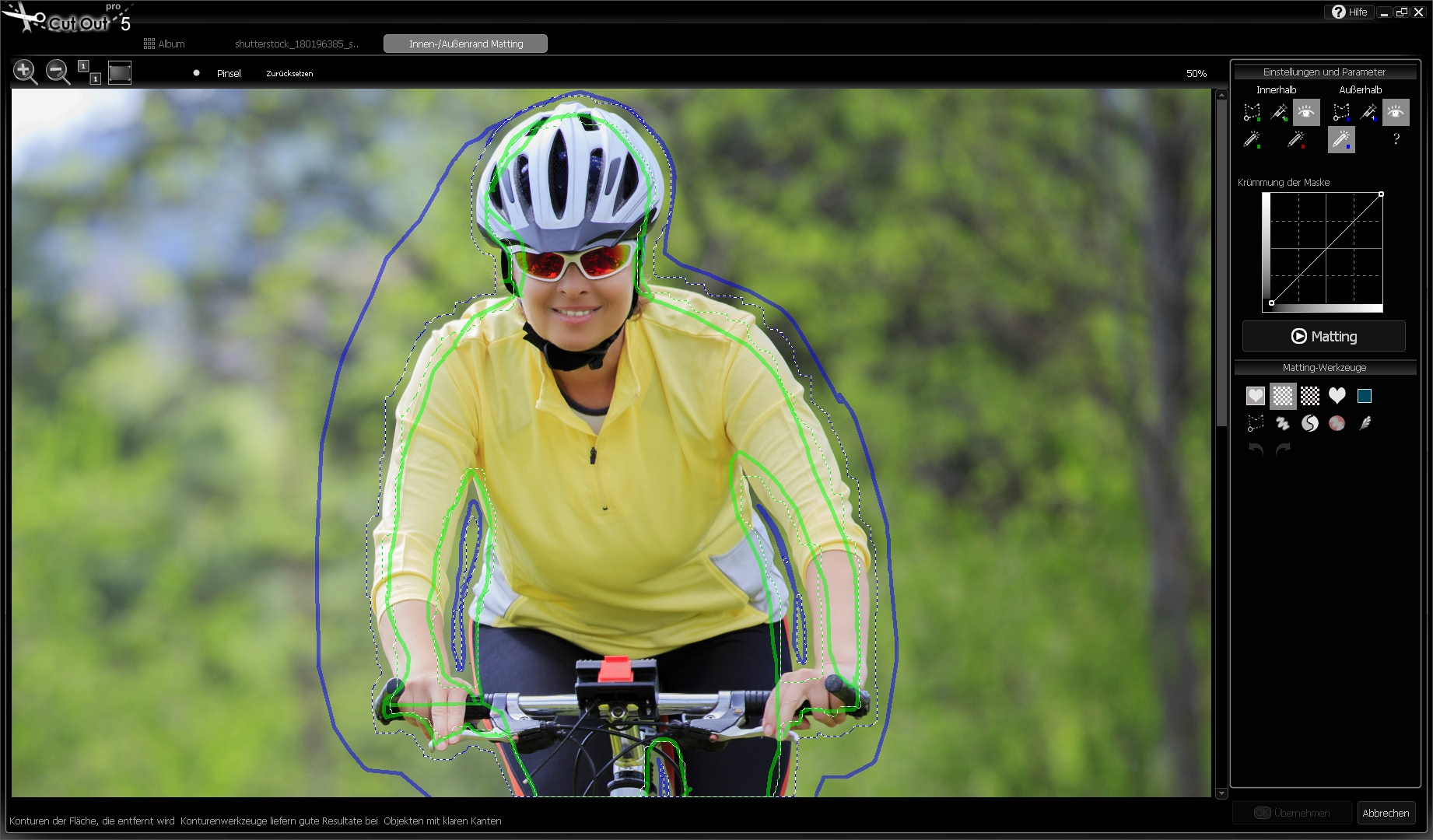
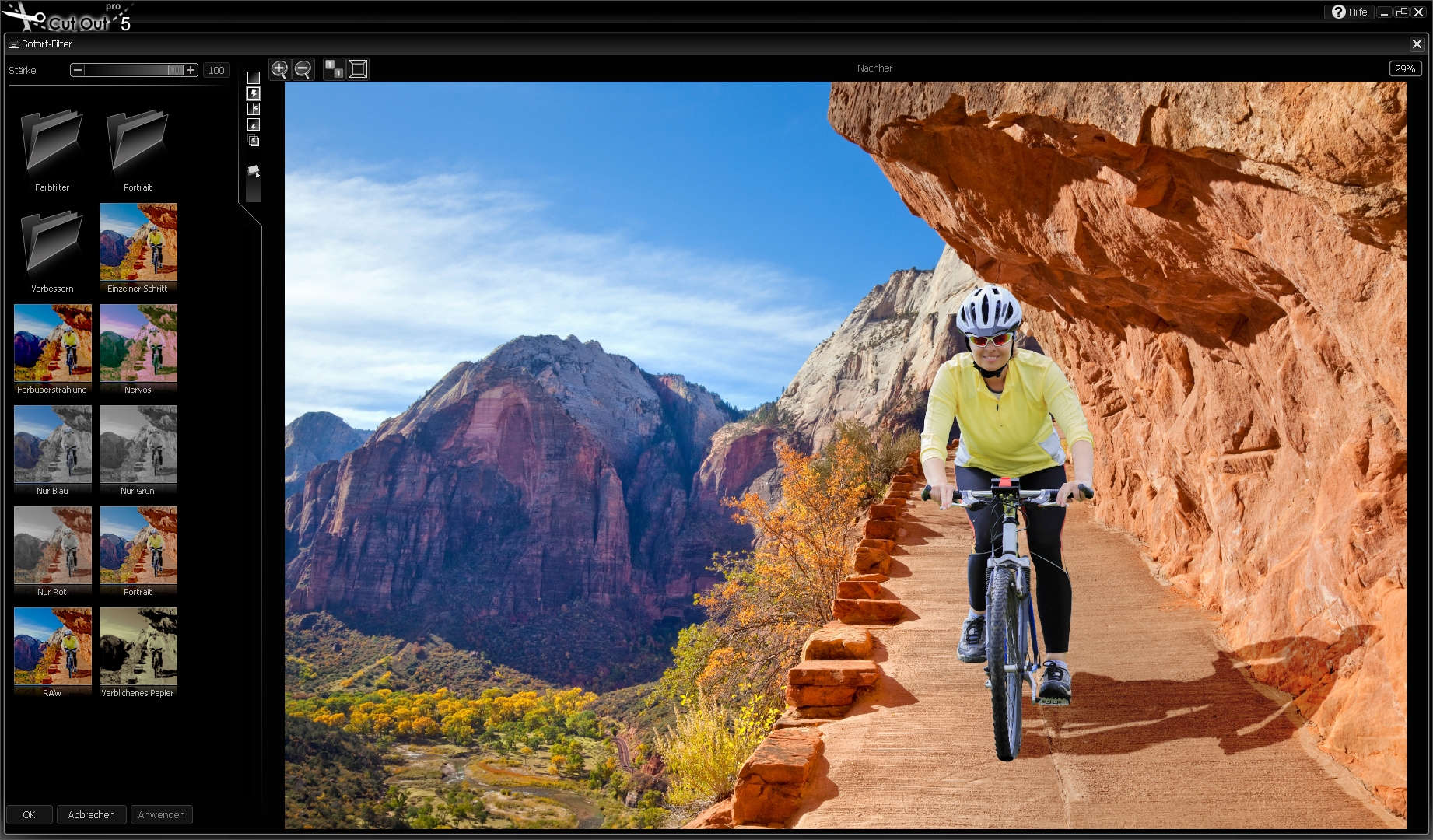
CutOut 5 Proで切り出した最高級の詳細および透明な物にします。 場合においても背景は複雑で、CutOut 5 Pro取り外し可能なオブジェ必要なものに感謝絶縁認識し、内外のマット.
利用クロマキーイング作業のプロフェッショナルレベルを選択背景色やカットしてオブジェクトを、モノクロの背景の一つをクリックし、マウス。 へリーディングプロジェクトの知的な消しゴム、エラーブラシ、常に最適なツールで補正画像のようです。 のソフトフォーカス機能では削減の切れ味の背景を美しい画像ソフトボケ.
The current text is the result of machine translation. You can help us improve it.
必要なシステム:
Minimum: Windows 10/ 8.1/ 8/ 7/ Vista (x32/x64), Dual Core Processor, 2 GB RAM, 2 GB HDD, Screen Resolution, 1280 x 1024 Pixels, Graphic Card: DirectX-8-compatible, 128 MB, 32 bit color depth
出版社:
FRANZIS Verlag GmbHホームページ:
https://www.projects-software.com/cutout5-standardファイルサイズ:
66.6 MB
価格:
$99.00
GIVEAWAY download basket

Developed by Mirillis Ltd.

Developed by Autodesk, Inc.

Developed by PhotoInstrument

Developed by Andrew Zhezherun
iPhone 本日のオファー »

$19.95 ➞ 本日 無料提供

$0.99 ➞ 本日 無料提供

Every Day Spirit is a collection of beautiful, original, hand-crafted wallpapers created to make your phone look amazing.
$0.99 ➞ 本日 無料提供

$4.99 ➞ 本日 無料提供

$1.99 ➞ 本日 無料提供
Android 本日のオファー »

$0.99 ➞ 本日 無料提供

$0.99 ➞ 本日 無料提供

Spelling Right is a new challenging educational spelling game that will test your English spelling skills.
$2.29 ➞ 本日 無料提供

$0.99 ➞ 本日 無料提供

$1.49 ➞ 本日 無料提供
コメント CutOut 5 Pro
Please add a comment explaining the reason behind your vote.
You have to jump through hoops to get the used id/unlock code, sign up for their site, give personal information, agree to spam mail. I got this message:
You will now receive your user ID (customer number) and your personal unlock code via e-mail, I got it and put it in, installed the program and it says 30 day trial version Activate with Licence key. So after all that, Where is the license key???
Save | Cancel
For what time period is today's present? Half a year, one year .... ???
Save | Cancel
Franzis giveaways should always have a great big "FRANZIS" across the whole page, so that you know it is worth getting, but also that they are such a pain to register. They are very fussy about what email addresses they accept and they make you jump through so many hoops.
Save | Cancel
A. Bassam,
That's not what I experienced. I already had the Standard version installed on my machine. I had no problems installing today's PRO version on the same machine with the Registration code I was sent ( which arrived instantly after requesting it). The PRO version installed separately from Standard version and I can still choose to run either the Standard or the PRO version independently.
Save | Cancel
That was about the most complicated, confusing, and even deceptive registration process I've seen here at GOTD. The deceptive part: When you're instructed to enter all that personal info, actually the *only* required info is your email. (There's an almost invisible notice with the [ * ] at the bottom of the page, and the email field is the only one with it.) It appears to be a quality program -- why do they need to resort to all this?
Save | Cancel