毎日 通常購入しなくては使用できないソフトウエアを無料で提供します!
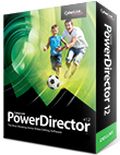
Giveaway of the day — PowerDirector 12 LE
PowerDirector 12 LE< のgiveaway は 2015年8月25日

CyberLink PowerDirector 12 はビデオ作成を次のレベルへ改善したツールで、マルチカム・デザイナーで4つまでのカメラをサポートし、複数のディバイスで録音したものをスムーズのアレンジ。またテーマデザイナーで素晴らしい3Dスライドショー機能を提供しビデオと写真からの作成を実施。
LE バージョンの機能:
- PowerDirector 12 LE はカット、短縮、ミックスとサブタイトル編集の機能をサポート;
- Blu-ray, 3D, AVCHD, MPEG-1, MPEG-2, MKV, FLV & 4Kはサポート不可.
必要なシステム:
Windows XP SP3 x32 (Service Pack 3 is required)/ Vista/ 7/ 8
出版社:
CyberLink Corp.ホームページ:
http://www.cyberlink.com/stat/edms/Giveaway/PDR_Giveaway/index.jsp?affid=2581_-1_809ファイルサイズ:
8.2 MB
価格:
$34.95
他の製品
ビデオ、オーディオ、写真などをサポートする PowerDVD はエンターテイメント・ステーションでPC,携帯、家庭でのネットワーク、クラウド、ソーシャルネットワークなどでメディアを活用、新しい PowerDVD 15,はオーディオービジュアルの質を向上、さらに多くのフォーマットをサポートし、機能を改善、大幅なデジタル・メディアをサポート。
CyberLink PowerDirector 13 は高画像のビデオを作製、簡単な使用方法で64-ビットのビデオ編集機能を提供。最新の4K UltraHD とH.265/HEVC フォーマットもサポート。 PowerDirector は簡単で柔軟性のあるツールとデザインで移動効果などを提供。
CyberLink PhotoDirector 6 はユニークなワークフロー、写真公開、調整、編集を提供するツールで、写真をアートして作成するこに便利な機能ー写真効果、RAWイメージ解析、UltraHD 4Kスライドショー作成などを提供。 PhotoDirector 6で写真編集を次のレベルで実施。
iPhone 本日のオファー »





Android 本日のオファー »





コメント PowerDirector 12 LE
Please add a comment explaining the reason behind your vote.
I got this version for free when I purchased a Blu Ray player recorder. It was given away previously back in February of this year and does what it says on the box. Thumbs up from me. Ideal for family video editing.
The program has easy to use editing tools for both a Slideshow Designer and the Editor. you can import video clips easily using the Magic Move Wizard as well as select style templates, and adjustments for background music. Results can be saved directly via the program either as a file or disc.
Save | Cancel
PowerDirector 12 LE usually means restricted/crippled variant like "Light Edition".
http://www.cyberlink.com/products/powerdirector-ultra/compare_en_US.html
doesn't show any LE variant only next versions PowerDirector 13 (Ultimate, Ultra, Deluxe).
If somebody please could tell which are further LE restrictions: perhaps only save as wmv file or in lower smart phone resolution or anything else????
Above " ... enables users to generate impeccable 3D animated slideshow videos..." and
"Does not support Blu-ray, 3D, AVCHD, MPEG-1, MPEG-2, MKV, FLV & 4K" is hindering usage."
So no 3D or no 3D?
And I would have preferred greatly a positive format list to an exclusion list not telling which formats are left! But without .ts (a MPEG2 variant) it's nearly useless for me anyhow.
With a very slow connection I can't afford trying myself just for fun!
Save | Cancel
Downloaded Giveaway of the day zip file and it ran fine on Win7 64bit. Setup runs additional downloader but that was also ok. Registered on web site only required name and email. Didn't find much difference in the interface from Power Director 11 LE but once I created a test file I was able to confirm some of the "non-working" video modes do work and are faster. I was able to create a 1080i video in a few like AVI,WMV and MKV. These are easily converted to MP4 with another converter and the interface is one of the easiest to use for cut and pasting and cropping so I will keep it. Don't really need better than 1080i for now so I find this a good value.
Save | Cancel
I don't as a rule like Cyberlink software with the exception of their player, PowerDVD, which is what the company originally made its name with, back when anything DVD in Windows was new. I have to say PowerDirector 12 LE isn't bad for a more-or-less entry or home version video editor, though the installation, like all the other Cyberlink software I've checked out, is a bit atrocious, with ~3k new registry entries. As an older version, & a LE at that, I can forgive the installation of old Microsoft C/C++ runtime files, but make sure you check Windows Update afterward. I wouldn't expect that older runtime install with the current version if you bought it, though the number of registry entries is likely to climb as that paid version should include encoders missing due to the LE.
From time to time Cyberlink software is on sale at a good price through Amazon, Frys, &/or Newegg, though you have to watch out as all 3 have been known to sell older versions without telling you that something newer just came out. In terms of value, the advertised price going through today's GOTD [in the preferences dialog] is $50 for PD 13 Ultra -- I've seen Nero 2015 Platinum on sale for less than $30 maybe 1/2 dozen times in the last 3-4 months. In terms of features & capabilities I'd give Nero the edge. Personally I like the Sony video software the best, but haven't seen a lot of sales on it for the past several months. While I'm not a fan myself, till 9/8 Amazon is running a special on Pinnacle software, & some folks do like it. And of course there's always Adobe -- their Premiere Elements is always popular & frequently on sale, especially bundled with Photoshop Elements.
Some feel that the free version of Davinci Resolve [v.11, or the 12 Public Beta] is the most professional video software you can get for free, though it works a bit differently so you'll have to invest some time in learning it. Select Video Editors [there's actually a few categories of editors] on the software page at videohelp.com & you can see a fairly decent overview of what's available, along with user ratings & comments. There you'll find apps like Shotcut, a free, open source editor that's in constant, if early development.
Back to Power Director 12 LE, you register for a key, getting an email with the key & a download link -- the key is also shown on the web page. The initial download is a downloader app, that lets you decide where you want the download stored, & if you want to run the installation immediately or not. The actual download comes in at ~630MB. When you start the app it lets you choose the aspect ratio & whether to start the Easy or Full Editor, or the Slideshow app. The full editor starts in Timeline mode, but you can switch to Storyboard if you prefer.
With Storyboard each clip is a block that you can arrange, whereas with the Timeline you see the clips stretched out, so you can better work with the multiple tracks -- you start out with 2 audio/video tracks but can add more, & there are also tracks for things like FX. Imported media [video etc.] appears in a media browser window that's part of the overall PD window -- along the left you can select other things to view like FX -- there's also a dropdown box where you can select what's shown in a Window, e.g. downloads, which if you click it takes you to a Cyberlink site where you can download thousands from the look of it. Basically you find what you want in that window & drag it to the timeline or storyboard.
As far as importing media files go, there are so many formats & subformats out there [from all the different cameras etc.], about the only way to see if you're covered is to either Google or try it. It will import AVC Blu-Ray video [not DTS audio], & probably most common video formats, but export is a bit limited to DV avi & AVC/H.264. It's a shame that avi output is crippled with restricted output settings -- otherwise you could render your video to a lossless avi file & do your encoding with whatever you wanted, like x265. Cyberlink advertises PD's speed encoding -- they were pioneers in having your GPU assist encoding, so you'll probably find it's pretty fast. DO check your output quality however if you use hardware acceleration, because it can have a negative impact.
Save | Cancel
I have Windows 7 64 Bit. When I run setup I get Cyberlink Downloader has stopped working.
Problem signature:
Problem Event Name: APPCRASH
Application Name: setup.exe_CLDownloader
Application Version: 2.9.1.5019
Application Timestamp: 5304095d
Fault Module Name: StackHash_8063
Fault Module Version: 0.0.0.0
Fault Module Timestamp: 00000000
Exception Code: c000041d
Exception Offset: 7770dae1
OS Version: 6.1.7601.2.1.0.768.3
Locale ID: 1033
Additional Information 1: 8063
Additional Information 2: 80639fe55050dc9fc1efd1590ee3f5bc
Additional Information 3: ed15
Additional Information 4: ed15a961e908705f3748ec56680fb60f
Save | Cancel