毎日 通常購入しなくては使用できないソフトウエアを無料で提供します!
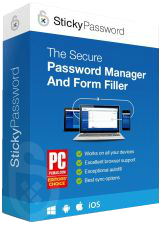
Giveaway of the day — Sticky Password Premium 8.5.0.1064 (Win&Mac)
Sticky Password Premium 8.5.0.1064 (Win&Mac)< のgiveaway は 2022年10月31日


Sticky Password は、デスクトップ、スマートフォン、タブレットなど、いつでもどこでも必要なときにパスワードを記憶し、自動的に入力する、受賞歴のあるパスワード マネージャーおよびフォーム入力ツールです。すべてのパスワードを AES-256 で暗号化された 1 つの安全な場所に保管します。マスター パスワードは、パスワード ストレージのロックを解除するキーになります。それが何であるかは、あなただけが知ることができます。 Sticky Password テクノロジーは、20 年以上にわたって世界中の何百万人もの人々から信頼されています。 Windows に加えて、Sticky Password は Mac、Android、iOS でも利用でき、クラス最高の同期オプションを制御できます。すべてのコンピューター、スマートフォン、タブレット間でデータを同期する方法を決定します。 Sticky Password の安全なクラウドベースのサーバー経由で同期したくない場合は、ローカル Wi-Fi 同期を利用できます。これは、データを独自のネットワーク経由で同期し、クラウドにアクセスすることはありません.また、安全なパスワード共有機能により、家族や同僚とパスワードを安全に共有できます。追加された緊急アクセス機能により、信頼できる友人や家族にアクセスを提供できます。デジタル遺産が保護されていることを知って安心できます。
注意: ソフトウェアは 1 年間の 1 ユーザー ライセンスを提供します (2022 年 11 月 20 日まで有効化できます)。プログラム アーカイブには、Win 版と Mac 版の両方が含まれています。
The current text is the result of machine translation. You can help us improve it.
必要なシステム:
Windows Vista and higher; MacOS 10.12 (Sierra) and higher; iOS 9.x and higher; Android 5.0 and higher
出版社:
Lamantine Softwareホームページ:
https://www.stickypassword.com/?utm_source=gotd&utm_medium=website&utm_term=mva&utm_content=lp-sp-home&utm_campaign=gotd&campaign_affid=d-giveaw-homepageファイルサイズ:
55.8 MB
Licence details:
1 user 1 year license
価格:
$39.99
他の製品
Sticky Password Premium (生涯ライセンス) を 85% 割引で入手できます。
GOTD users can get the program for $29.99, instead of $199.99.
GIVEAWAY download basket




iPhone 本日のオファー »





Android 本日のオファー »





コメント Sticky Password Premium 8.5.0.1064 (Win&Mac)
Please add a comment explaining the reason behind your vote.
What happens after a year, do you lose all passwords?
Save | Cancel
Hamish, that does not really answer the question. It sounds that you are saying that after a year, the program will become nonfunctional and your passwords are locked beyond reach. Or will it still allow you to export your passwords without the autofill capability? Or will it just not allow you to add or change passwords after a year. What functionality remains after the GOTD "trial" period if you choose not to pay?
Save | Cancel
Arthur,
after 1 year you can either prolong your subscription (based on what Hamish answered below) or your Sticky Password will be switched to Free version with less features.
You WILL still have access to all your data in the Free version.
Save | Cancel
I use to swear by LastPass, but tried Sticky Password about 2 years ago and never went back. Very easy to use and safe. This is the only password manager I use.
Save | Cancel
USAF Phantom,
Perhaps you could explain WHY it is better than LastPass (Which I have been using for many years after coming away from Sticky Password)
Save | Cancel
agree with USAF Phantom - my main reason is the feature afaik to be the only password manager that allows to sync your passwords by local WiFi between all of your devices inluding Windows, Mac, iOS + iPadOS.
Fast response by their tech support who incorporated fix in rare case my automated login did not work (QNAP NAS OS). Frequent updates - my clear pick on password managers.
Save | Cancel