日本語
毎日 通常購入しなくては使用できないソフトウエアを無料で提供します!
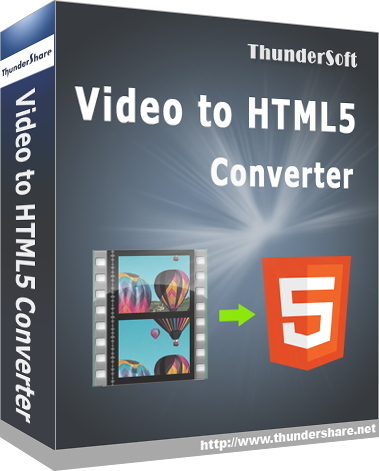
ThunderSoft Video to HTML5 Converter 3.1< のgiveaway は 2020年10月11日
本日の Giveaway of the Day

どこからでも、あらゆるデバイスからリモート デスクトップまたはラップトップを制御します。
ThunderSoftビデオHTML5コンバータにはプロコンバーター用ビデオファイルをHTML5変換します。 出力に対応し、すべての主要ウェブブラウザ:IE、Firefox、Apple Safari、google Chrome、データの再活用やホームページでも閲覧が可能なiPad、iPhoneです。
ThunderSoftのリハビリ特化型デイサービスを特別価格50%割引)GAOTDのユーザー寿命のライセンスThunderSoftビデオHTML5コンバーターおよび他の多くのソフトウェアです。
The current text is the result of machine translation. You can help us improve it.
必要なシステム:
Windows XP/ Vista/ 7/ 8/ 8.1/ 10
出版社:
ThunderSoft Co.ホームページ:
http://www.thundershare.net/video-to-html5-converter/ファイルサイズ:
7.3 MB
Licence details:
lifetime
価格:
$19.95
他の製品

GIVEAWAY download basket

Developed by MPCSTAR

View the feedback from multiple IP cameras.

Developed by VSO Software

Edit multiple video files to create custom presentations.
iPhone 本日のオファー »

$19.95 ➞ 本日 無料提供

$0.99 ➞ 本日 無料提供

Every Day Spirit is a collection of beautiful, original, hand-crafted wallpapers created to make your phone look amazing.
$0.99 ➞ 本日 無料提供

$4.99 ➞ 本日 無料提供

$1.99 ➞ 本日 無料提供
Android 本日のオファー »

$0.99 ➞ 本日 無料提供

$0.99 ➞ 本日 無料提供

Spelling Right is a new challenging educational spelling game that will test your English spelling skills.
$2.29 ➞ 本日 無料提供

$0.99 ➞ 本日 無料提供

$1.49 ➞ 本日 無料提供
コメント ThunderSoft Video to HTML5 Converter 3.1
Please add a comment explaining the reason behind your vote.
I'm not a web developer. Maybe this title is only useful for them.
Why would anyone want to do this (for what purpose, for what advantage) over the usual/traditional video files as listed on the product's web page:
http://www.thundershare.net/video-to-html5-converter/
On Wikipedia I read about HTML5 videos:
https://en.wikipedia.org/wiki/HTML5_video
...but (as a non-developer) didn't follow the advantages. The best I got was that it allows for interactive animations and games as a replacement for FLASH video:
https://en.wikipedia.org/wiki/Comparison_of_HTML5_and_Flash
However, if ThunderSoft Video to HTML5 Converter 3.1 converts only traditional non-interactive videos, why do it?
Save | Cancel
HMarx,
I fully support your concerns, so so often descriptors for all sorts of things, but mostly tech stuff, do not consider the audience. Which is stupid as they are doing themselves out of take up. They simply do not read their blurb through the eyes of the non expert in their field.
My guess, and it’s just that, is that if you convert your existing videos, they can then be played within your browser without ou the need for flash.
All my videos are played with a media player, so still fail to see a benefit.
John
Save | Cancel
John Clough, Flash is going to be terminated as of December of this year, so there is a move to find other ways of displaying video and other things that now use Flash.
Save | Cancel
HMarx,
I don't know a whole lot about it, but the only benefit I could see is if you ran a website and wanted to have video clips that played on that site. With HTML 5.0, video is now supported natively in the browser, without the need to have your visitors install some sort of plug-in to be able to view those videos. This would take whatever videos you have and allow them to be played directly from your website.
In the past, Flash was the widely accepted way to go, and nearly everybody had the Flash plug-in installed in their browsers. Flash is being completely discontinued as of December of this year. Now that HTML 5.0 supports video natively, Flash really is no longer needed.
Save | Cancel
Very few of the GAOTD offerings of video editing software work with my computer on a consistent basis without distortion between video and audio. Ideally, I would like to see a piece of video editing software that would allow me to trim my mts videos with an "option to convert" (or not) to html5 as first choice (or mp4). But, I can handle editing to mp4 for now (I found a couple of video editors that seem to work well), with a later conversion to html5 via this type of software (I didn't notice any editing properties). What my issue is with this software (todays' GAOTD) upon testing a conversion of an existing mp4 video of mine, is that there is absolutely no status screen or bar to let you know if the product is currently working or not. It puts up a couple of file placekeepers, but I had to pull up Task Manager to see that is still working. I am completely blind to knowing how long this conversion will take even before I can tell if it will work for me. :0(
Save | Cancel