毎日 通常購入しなくては使用できないソフトウエアを無料で提供します!
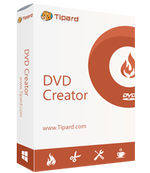
Giveaway of the day — Tipard DVD Creator 5.3.10
Tipard DVD Creator 5.3.10< のgiveaway は 2025年8月26日

Tipard DVD Creatorは、Blu-rayおよびDVD Burningプログラムであり、ビデオとオーディオをBlu-rayまたはDVD/Folder/ISOファイルに作成します。多くの一般的で珍しいビデオ形式をサポートしています。また、クリッピング、トリッピング、アップスケーリングなどのビデオを編集することもできます。キー機能と機能:1。DVDとBlu-rayをさまざまなビデオおよびオーディオ形式で燃やします。 2.あらゆる種類の字幕とオーディオトラックをDVDまたはBlu-rayに追加します。 3. DVDとBlu-rayで燃焼する前に、ビデオをマージ、クリップ、およびトリミングします。Tipardは、GOTDユーザーに特別な35%オフを提供します。
The current text is the result of machine translation. You can help us improve it.
必要なシステム:
Windows 7/ 8/ 8.1/ 10/ 11; CPU: 1.2GHz Intel or AMD CPU, or above; RAM: RAM: 1G RAM or higher recommended
出版社:
Tipardホームページ:
https://www.tipard.com/dvd-creator/ファイルサイズ:
60.2 MB
Licence details:
1 year license
価格:
$15.00 per month
他の製品

[## featured1 ##]は、ビデオコンバーター、ビデオエンハンサー、およびDVDリッパーのオールインワンビデオユーティリティです。 DVDおよびメディアファイルを多くの一般的で珍しいビデオ/オーディオファイル形式に変換できます。ビデオ効果を編集し、ビデオの品質を向上させる複数の方法を提供します。
GOTDユーザーにとって特別な30%オフ
[## featured2 ##]は、コンピューター上のほぼすべてのBlu-ray、DVD、およびビデオ形式をサポートするユニバーサルBlu-ray/DVD/Video Playerソフトウェアです。 Blu-rayディスク、Blu-rayフォルダー、ISOファイルを再生できます。その上、DVDや映画をスムーズに再生することもできます。 1080pおよび4Kビデオもサポートされています。
GOTDユーザーにとって特別な30%オフ
[## featured3 ##] MP4、AVI、MOV、WMV、MKV、MP3など、優れたビデオ/サウンド品質など、すべての人気のあるビデオおよびオーディオ形式にDVDをリッピングできます。また、DVDムービーをリッピングする前に、透かしをクリップ/クロップ化/透かし/ビデオエフェクトを調整することもできます。
GOTDユーザーにとって特別な30%オフ
[## featured4 ##]を使用すると、MP4、MOV、MP3、FLACなどのオーディオファイルなどのビデオ形式にBlu-rayとDVDをすばやく変換できます。さらに、多くの人気のあるデジタルデバイスでこれらの出力ビデオ/オーディオファイルを再生できます。
GOTDユーザーにとって特別な30%オフ
[## featured5 ##]は、破損したビデオを修正するための専門的なプログラムです。間違いのダウンロード、損傷の転送、エラーの編集、誤った圧縮などのためにビデオが破損した場合。すべての状況でビデオを修理できます。この最高のビデオフィクサーは、4K/1080p/720pでMP4、MOV、AVI、および3GPのビデオを修理できます。
GOTDユーザーにとって特別な30%オフGIVEAWAY download basket




iPhone 本日のオファー »





Android 本日のオファー »





コメント Tipard DVD Creator 5.3.10
Please add a comment explaining the reason behind your vote.
Please follow the guide to register Tipard DVD Creator:
Step 1. Download Zip package from GOTD.
Step 2. Unzip the Package and run setup.exe to install it.
Step 3. In the pop-up window, you will see a comparison window of the free trial version and the registered version. Click the "Register" button to enter the registration window. Then Click the “Get Free Registration Code” button to visit the registration page, where input your username and email address to receive an annual registration code for free.
Step 4. Back to the software, paste the received registration code under “License Key” and then click the “Activate” button to register Tipard DVD Creator successfully.
Note: Check your Junk or Spam email if you have not received the email with the free registration code for a long time.
To learn more information, you can visit the product page:
https://www.tipard.com/dvd-creator/
Save | Cancel