毎日 通常購入しなくては使用できないソフトウエアを無料で提供します!
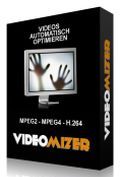
Giveaway of the day — Videomizer
Videomizer< のgiveaway は 2011年8月25日
Videomizerは自動ビデオ処理プログラムで家庭用や他のビデオを変換。
機能:
- 自動物体認識: 通常の感覚を最適化する部分のフレームのみを変更
- 自動再調節 形変更、コントラスト最適化
- 高度カラーと多くのアニメ 高画像とマットカラー再編集
- 自動バランス調節, 自動白黒修正、明るさの修正
- 霧予防 他の天候栄k労や適切でないカラー修正
- リゾリューション調節オプション, ビット率やオーディオ・アトリビュー(チャンネル、ビット率、サンプル率)
必要なシステム:
Windows XP/ Vista/ 7; .net 3 Framework (will be automatically installed, if not available); min. 1 Gigabyte RAM, 2 GB recommended; CPU with min. 1 GHz
出版社:
Engelmann Media GmbHホームページ:
http://www.engelmann.com/eng/videomizer.phpファイルサイズ:
29.8 MB
価格:
29.99 EUR
他の製品
Fully automatic photo optimization! Photomizer accurately uses a number of photographic tools for optimum image manipulation; these tools automated and precisely edit exactly those unfavorable image attributes that disturb the overall impression! And only those because the automatic object recognition guarantees that exclusively the less perfect image parts are edited while the others remain untouched!
The video converter for all your digital video recordings, compatible to DVD Recorders, Receiver, Digital Cameras, Harddisk Recorders, DVD-S and DVB-T Streams, PC Tuner cards - both PAL and HD resolutions. Supports mpeg/mpg, ts, mod, tod, vro, dvr, pvr, mts, m2ts, tp0 and trp video files.
MakeMe3D turns your movies into real 3D-videos! MakeMe3D can convert existing 2D-videos automatically into the third dimension. The new 3D-videos are compatible to the known Anaglyph 3D glasses and to the new Stereoscopic 3D Hardware.
MovieSaver is a so-called video downloader, which - once fed with a URL that links to a video - loads and stores it on the home computer. Freeware!!!
Multimedia for Android - originally easy! Android Converter enables you to create video clips and audio- and photo files for your Android-based mobile- or smartphone. Converts Video-DVDs, video files, nearly all audio files (including DRM-protected ones), DVD-music tracks, clips of video platforms and audio-CDs to Android-compatible files.
GIVEAWAY download basket




iPhone 本日のオファー »





Android 本日のオファー »





コメント Videomizer
Please add a comment explaining the reason behind your vote.
Install asks where to install.
I tell it E:
It immediately fails - says there is not enough space for the selected features.
Shows that it needs 6mb on drive E: (not a problem)
Shows that it needs 114mb on drive C: (big problem)
Why ask where you want it installed if you are going to put more than 95% of the product on the C: drive anyway ???
Save | Cancel
Actually you can choose bitrate, just check out automatic at the output and click on advanced button.
Save | Cancel
Once you've jumped through the installation hoops (including reassuring Outpost), Videomizer invites you to install a new update (!) which seems to work fine with the e-mailed activation code.
What you end up with looks like your traditional video converter app, which includes various features missing elsewhere (DVDs, expandable preview window etc) - with the bonus of optimization.
The BSTdownload site provides this helpful info:
>>
Videomizer 1 is a professional video image optimization tool which can do advanced processing operations to your video images, frame by frame, for a better quality. It can do fine editing and processing, tonality adjustments, apply different filters, fine video adjustments, batch processing.
Actually, Videomizer 1 scans your video and with frame by frame analysis, it does image filtering for all images or only for some certain objects present in that picture to improve the overall impression thanks to the automatic object recognition feature. For basic color, brightness and contrast processing, the application does automatic correction.
The video processing feature provides adjustment options for resolution, bit rate, frame rate, including the homologous audio attributes. Videomizer 1 can also do video manipulation operations like video cut with dual real time preview for direct comparison.
Another important feature is the HDR-simulator which can do high dynamic image range processing. From the same scene captured in pictures with different exposures, HDR-simulator creates one optimized picture.
The video scaling feature is aimed to rescaling {or} your video and to be shown in a proper way onto your device display without black bars. Some of the most known input supported formats of the program are DVD-video, MP4, WMV, AVI, MPG, TS etc. As {for} output formats, it can encode in about {the} same input formats with {the} addition of formats working with different devices like iPod, iPad, Android, PSP.
<<
I'll look forward to the views of the experts who frequent GAOTD but this looks like an improvement on standard offerings.
Save | Cancel
Pros
1. Until this moment, have I only downloaded and installed the program twice and been writting the CONS ! Now I´m going to run the software itself and see what happens next... you will never know if you don´t try !
2. Registration was snapping fast... The programs loads in a normal speed, but could be much faster...
3. The 2 first videos (Sony 640x480 - 24 fps & Medion HD+ Camcorder 1280x720p HD - 29 fps) didn´t seem to work, but no. 3 did (Nokia 3X 320x240 - 8 fps) !
Overall is that... this program is clearly made for old bad & low fps videorecorders ! This is not recomented to users, who have a low income and have a need for a program like this !
I have now uninstalled the software. I will as the last thing like to say that Engelmann´ other software, offered here at GOTD, did I have the same bad feeling with... I have only tried this one to see, if there have been some improvements... but no, it´s the same as before...
Cons
Slow download time from the developers server. That counts for the Main download of todays offer and the Update download too...
Why do the user have to download the same program twice ? Is the developer that bad to remove the old version and put in the new version on the website ?
Maybe it should be considered to stop making software, if it can´t be done otherwise than this way !
High Hacker Alert on this software...
1. You´re told to turn OFF all anti-virus programs on your system !
2. You do send name and email information outside a secure form !
3. You need to confirm that you did give them your email and name !
4. The email with your Serial number use more than 1 minute to show the text inside the email ! Remember that, the email is shown as it´s there ! 5 Kb email don´t take that long to download from any server !
5. I don´t say that this developer is anything else than a developer, but all those hacker-look-a-like required procedures do give me the feeling of a high risk software ! AND most important... If users get used to software that requires similar procedure then will it make the hacker-world so much eaiser to work in... for hackers !
Save | Cancel
#7: "This is sold as a Video OPTIMIZER, not simply a converter. So I have tried to optimize some videos, which did not have the best quality. Maybe I still have to work on the settings, but the results were a little bit disappointing. The optimization process also enhances artifacts. Colors and brightness seem to get better, but the overall impression is disappointing for me. I guess, my source material could have been too lousy, so I’ll try some other videos, because no software can do miracles."
#10: "I have a few video tutorials made using a chroma key (“green screen”) that had some artifacts due to poor lighting. This software actually enhanced those artifacts whereas I was hoping it would remove them and “cleaning up” the chroma key background video."
If it helps...
I'd think of today's GOTD more as Photoshop type filters for video. They correct or enhance images, but work on the string of images in a video file rather than opening one at a time in a photo editor. If when you zoom into a still image you see a lot of noise, it'll still be there afterwards, & even sometimes looks worse. Video is the same but more complicated, with errors often introduced 1) because the compression used can be much more aggressive, 2) because sometimes the way data's stored there's too little or maybe barely enough data to get by, 3) there are usually compromises made in hardware to keep costs down. & 4) with analog video, the way it's transferred over cables introduces errors. Any time an image is changed there's some quality loss, but with video it's just much more apparent. And that's on top of quality loss from any re-encoding. All you can do is start with the highest quality possible, try to get things as right as possible in the camera, then do as little as possible with the video that results. And yes, sometimes a video with a bit of color cast looks better than the filtered results if that filtering introduces other problems.
That said, there are quite a lot of filters available for VirtualDub &/or AviSynth designed to fix just that sort of noise etc. -- many of these filters were very popular when more people were capturing often lower quality analog VHS, TV broadcast, & cable. If it's at all possible to clean a video up, these 2 are probably the most powerful... you can sometimes make things like artifacts, ghosting, halos, off color pixels etc. much less noticeable or apparent while making the overall picture look sharper & clearer. They do carry the same sort of quality costs, but often you gain more visually than you lose. On the downside VirtualDub can take time/effort to get the filters in the best order & fine tuning filter settings, plus the input formats are limited -- you often have to use AviSynth just to get V/dub to open a video. The downside with AviSynth is that the scripts it uses can get quite complicated for video cleanup -- you can find some very good, though fairly involved scripts on-line so you do not have to be expert. AT any rate, if you want to make poor quality video look better, these are probably your best bets. More professional tools assume more professional gear, so while editors like Vegas Pro &/or Premiere Pro etc. let you do all sorts of color corrections, they aren't designed to help out when the video quality's poor -- in fact if you are doing any re-sizing they'll usually make poorer quality video look Much worse, not to mention take several times longer than V/Dub or AviSynth to render.
* * *
#13: "... One thing I don’t understand. It will not accept net framework 4 (it crashed on entry when I tried to ignore the 3.5 requirement) and it insisted that I (re-)install net framework 3.5. Well I did, and it works fine now, but what is its problem with net framework 4 (just curious)?"
.NET versions install & run in parallel for the most part. I *think* v. 1 is pretty much included in 2.0, but installing .NET 3.5 includes a more or less separate v. 2 install, & v. 4 is independent. Do Not forget to check Microsoft Update after adding Any .NET versions.
* * *
#15: "I’m looking for something that will edit .TS files much like VirtualDub does with AVI. This program will read in .TS but it doesn’t appear to output in .TS and it doesn’t appear to allow one to cut sections out in the middle of a video."
#22: "I was able to get the program to queue a .TS file but the program simply does nothing when you click on the start conversion button."
When you have video in a .TS format that's much like saying you have an .avi or .mov file -- the actual contents & their format can vary considerably. Start with whatever's the camera or source to find out what you have & what works with it. It's also quite possible there are utilities to re-write the file(s) without re-encoding, or you might use AviSynth & maybe VFAPI to go-between the original video and software. With most anything video it generally works best to start at each end, figure out what you have & what you want it to be, then figure out the steps in the middle to get there.
Also bear in mind the way things video work in Windows... Any video app needs to 1st open a video file, split the audio & video streams, & decode each [there may be more steps involved]. Separate files, often Direct Show filters, handle each step. DS filters may be incompatible with one another, or with whatever app, or available only for the app that they came with. You can have more than one filter designed to do the same job, some of these DS filters miss-report what they'll do to Windows, Windows tries different DS filters in turn, usually based on their merit which is set in the registry, but a filter tried & rejected is still open & can still conflict. Long story short, for a given type of video you may have to worry about being able to decode or play it in Windows, & only then worry about importing it into whatever app or apps, & that can get complicated to say the least. That's why for video in Windows less is most always more -- the fewer codecs & DS filters you have, the lower the odds you'll have problems.
Save | Cancel