日本語
毎日 通常購入しなくては使用できないソフトウエアを無料で提供します!
$29.95
期限切れ
Giveaway of the day — WorkinTool Watermark Eraser 2.6.1
WorkinTool Watermark Eraser は、強力なデスクトップ透かし消しゴムです。
$29.95
期限切れ
ユーザーの評価:
22
コメントを残す
WorkinTool Watermark Eraser 2.6.1< のgiveaway は 2023年8月26日
本日の Giveaway of the Day

どこからでも、あらゆるデバイスからリモート デスクトップまたはラップトップを制御します。
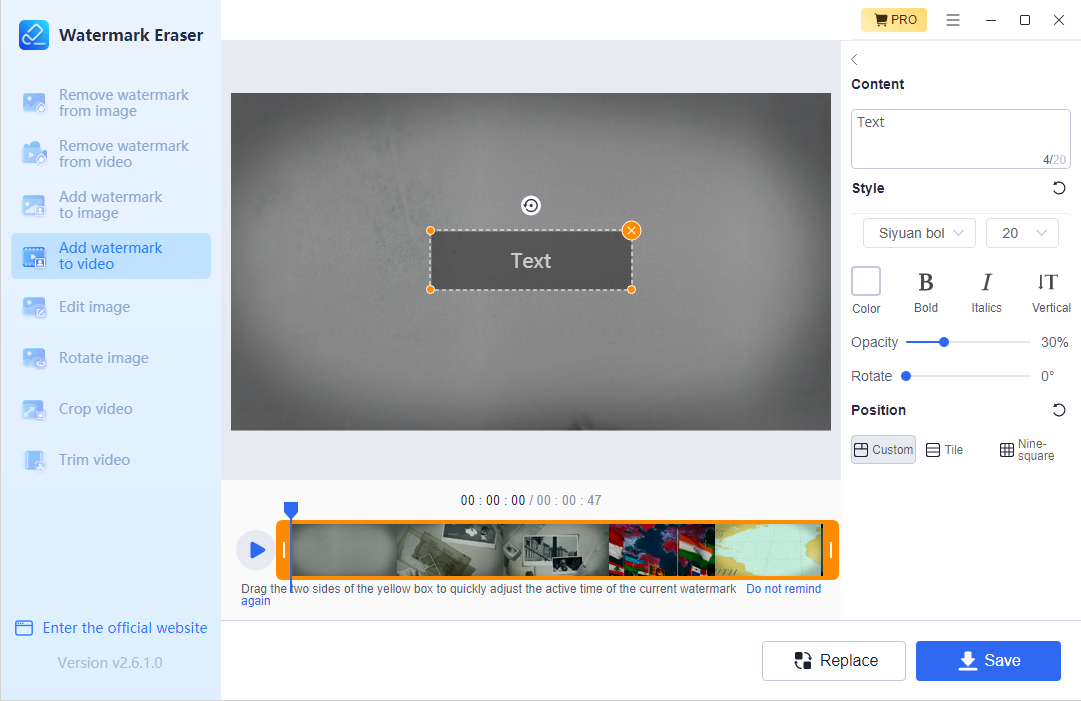
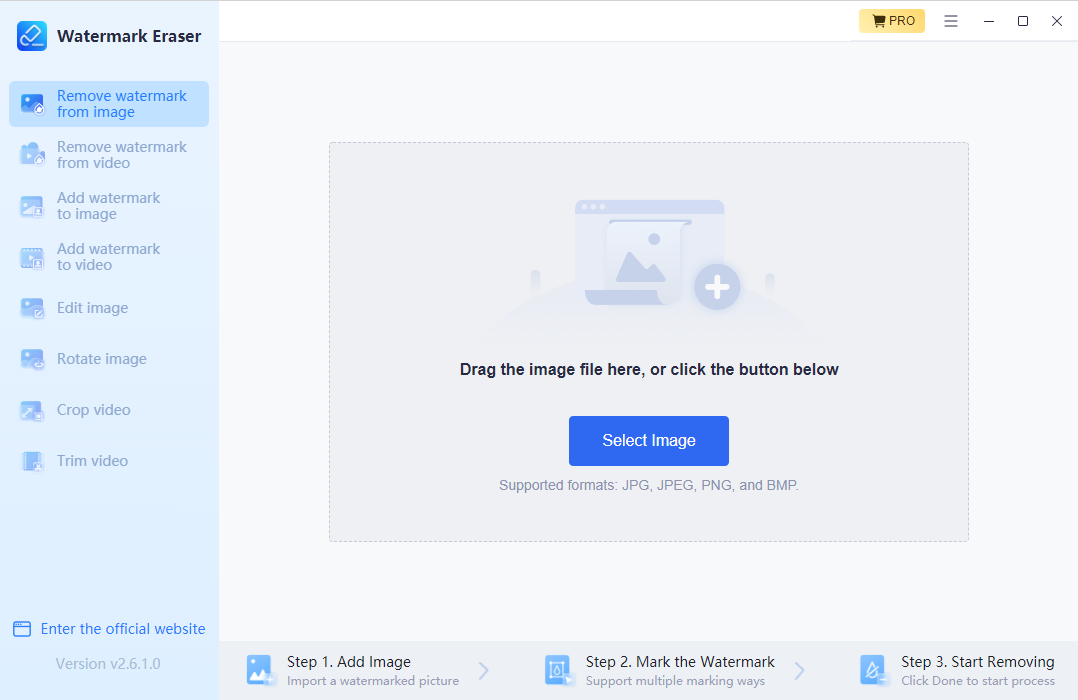
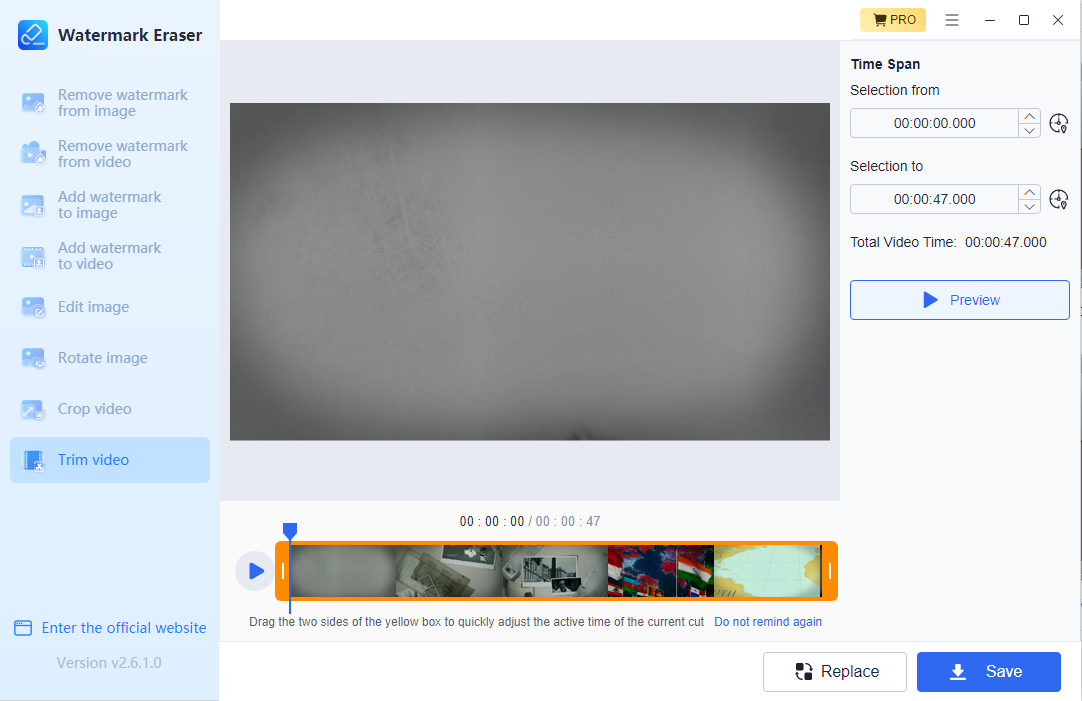
WorkinTool Watermark Eraser は、強力なデスクトップ透かし消しゴムです。新しいインターフェイスと複数のオプションにより、ユーザーは品質を損なうことなく、写真から透かしを簡単に削除したり、ビデオから透かしを削除したりできます。数回クリックするだけで、カスタマイズした透かしを簡単に追加できます。 WorkinTool は常にユーザーのエクスペリエンスに 100% の努力を払っています。このウォーターマーク消しゴムを使用すると、これらのターゲティング機能を使用して、あらゆるウォーターマークの問題を簡単に解決できます。さあ、すべての疑問を手放し、この素晴らしい透かしツールをご自身で体験してください。このプログラムはウォーターマークの除去には優れていますが、決して完璧ではありません。ある種のガウスぼかしソリューションが透かし領域に適用されます。これは、目の肥えた目であれば、その領域に何かがぼやけていることがわかることを意味します。同じことがビデオにも当てはまります。ウォーターマークがあった領域で、ある種の奇妙なちらつきが発生します。これはおそらく、さまざまな背景上でその領域をリアルタイムでマスクするアルゴリズムの方法によるものです。
The current text is the result of machine translation. You can help us improve it.
必要なシステム:
Windows 7/ 8/ 10/ 11
出版社:
WorkinToolホームページ:
https://www.workintool.com/watermark-remover/ファイルサイズ:
985 KB
Licence details:
1 year license
価格:
$29.95
GIVEAWAY download basket

Developed by Adobe Systems Incorporated

Developed by Adobe Systems Incorporated

Developed by CyberLink Corp.

Developed by Teorex
iPhone 本日のオファー »

$19.95 ➞ 本日 無料提供

$0.99 ➞ 本日 無料提供

Every Day Spirit is a collection of beautiful, original, hand-crafted wallpapers created to make your phone look amazing.
$0.99 ➞ 本日 無料提供

$4.99 ➞ 本日 無料提供

$1.99 ➞ 本日 無料提供
Android 本日のオファー »

$0.99 ➞ 本日 無料提供

$0.99 ➞ 本日 無料提供

Spelling Right is a new challenging educational spelling game that will test your English spelling skills.
$2.29 ➞ 本日 無料提供

$0.99 ➞ 本日 無料提供

$1.49 ➞ 本日 無料提供
コメント WorkinTool Watermark Eraser 2.6.1
Please add a comment explaining the reason behind your vote.
In the installation process you can chose where you want it to be installed, and also if you you want to creat a desktop shortcut.
The 2MB downloader downloads the 87MB installer that installs the program files with 244MB.
I gave it a longer try and compared it to the most recent SoftOrbits Photo Stamp Remover and the actual Teorex Inpaint. Depending on the complexity of the source picture I got much better results with this program. In the trial mode of WorkinTool Watermark Eraser everything works unrestricted but saving pictures is only possible for files with less than 200kB size. Teorex won´t let you save anything without registration but SoftOrbits gives you generous 10 days of full functionality in Trial mode.
The actual inpaint comes with some annoying selection errors and has disqualified from the start. Also it won´t let you save anything, and the last Giveaway had been restricted to a half year only.
WorkinTool Watermark Eraser gave me the visually best results.
Selection works fine, if you spend enough time and patience you will get very good results even on complex sceneries. The only drawback I found is, that the selection tool has no magnetic lasso, nor can it select anything by automatic. You must paint/select the mask by hand. Same for the two competitors.
WorkinTool Watermark Eraser seems also to be able to remove watermarks from videos and also can cut and crop videos.
Pictures can also be edited direcly in the program.
Finally it can do the total opposite of what its name says: you can add your own watermarks to pictures and videos.
In the advertising you can read "No quality loss". I did not check this, though in theory it might be possible to recompress only the altered parts of a picture/video there are only a few programs that really do that.
Save | Cancel
Watermark Eraser works very similar to some of the AI image generation tools or features in the Photoshop Beta -- specifically, after selecting the general, overall area, it will replace everything in that area with an AI generated image that blends into everything else in the image. In a way it's similar to the results you get using an object removal tool like Inpaint, but unlike that sort of tool, the results can be original, not copied or cloned from anything preexisting in the photo. And since it does take preexisting elements in the photo into account, the selection you start with does not have to be exact, but rather just cover the general area. One of the neat things about this is you can just as easily extend a photo, changing the overall aspect of an image, e.g., transforming a narrow shot taken with a phone to 4:3. While Watermark Eraser does have some image editing features, resizing the canvas is sadly not included, so to do that sort of resizing you have to first enlarge the canvas in a photo editing app, save it, then open that new image in Watermark Eraser. Then you simply select the blank portions of the photo and have Watermark Eraser do its thing. It's more work than doing the same thing in the Photoshop Beta, and in a very quick test the results are not as good, but checking the Adobe site this morning they want $20/month.
Getting the GOTD download link via email, I found that this is one of those giveaways where you need to keep the download site open in the browser, copy pasting the URL to get a key before closing the browser. The app by default will install into the Users folder -- you can change that to the more traditional Program Files (x86) if you want. The installed app takes up 244MB with 156 files, 12 folders in the program's folder, + two folders taking up 24MB in Users\ [UserName]\ AppData\ Roaming\. The registry gets an uninstall key, one for the path to the program's files, and one for the app itself.
Save | Cancel
This program just okay, it works, but still limited as far as any new features and options, Mostly the same basic video features, compared to similar programs like this.
* Wanted to Test mainly the watermark Remover on a video I own, but still has a jumpy little logo on it, mid screen.
This program is easy to use, fairly quick to save, but is kinda low budget, it just slaps a very noticeable stationary
blur over logo on video, with no tracking, so the logo jumps all around it, does not look good.
*Tested the vide trimmer, & cropper, could not even use, as even licensed version can only save
each action 1 at a time, so you lose more video quality each time have save for each action.
Just okay, like others have said, it still needs alot of modern improvements, for it to be useful.
Cheers.
Save | Cancel